

AI adoption Training for internal audit teams
StreamAlive helps 9x the audience engagement in your Virtual Instructor-led Trainings (VILT).
Make your instructor-led AI adoption training more fun with polls, word clouds, spinner wheels and more
Works inside your existing PowerPoint presentation
Install the StreamAlive app for PowerPoint and see your slides come to life as people participate in your interactions
AI generates audience interactions for you
Let our AI scan your presentation and automatically come up with relevant questions based on the content. Or spend two hours coming up with your own questions, your choice!
Built to work with MS Teams and Zoom
Native apps for Teams and Zoom so you never have to leave your existing workflows
No QR Codes
Chat-powered interactions means your audience doesn’t need to scan QR codes or look at another screen to participate. They just type in the chat!

Quickly approved by your IT team
StreamAlive’s apps for Teams and Zoom means that they have been through rigorous quality assurance and client safety reviews. You’ll find everything an IT team needs to approve the app within the organization within your StreamAlive account.

Youve been asked to conduct AI adoption training for internal audit teams, and you're curious how to make the session fun and interesting. Lets see how to make that happen!
Mapping the Minds
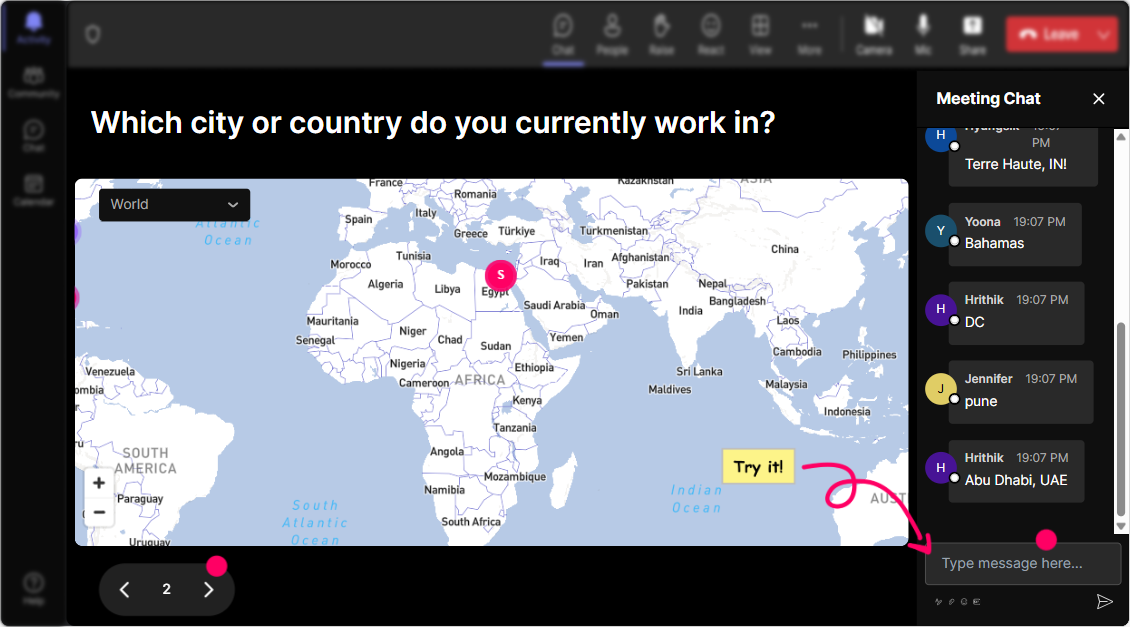
Break the ice by popping the classic Where are you joining us from? question. With the "Magic Maps" feature on StreamAlive, watch as the whole globe lights up with your audiences input. It lends a personal touch and instantly gets everyone engaged.
Gauge the AI Know-how
Wondering where everyone stands with AI? Use Rating Polls to simply ask, How confident are you with AI technologies right now, on a scale of 1-5?

Feeling the AI Vibe
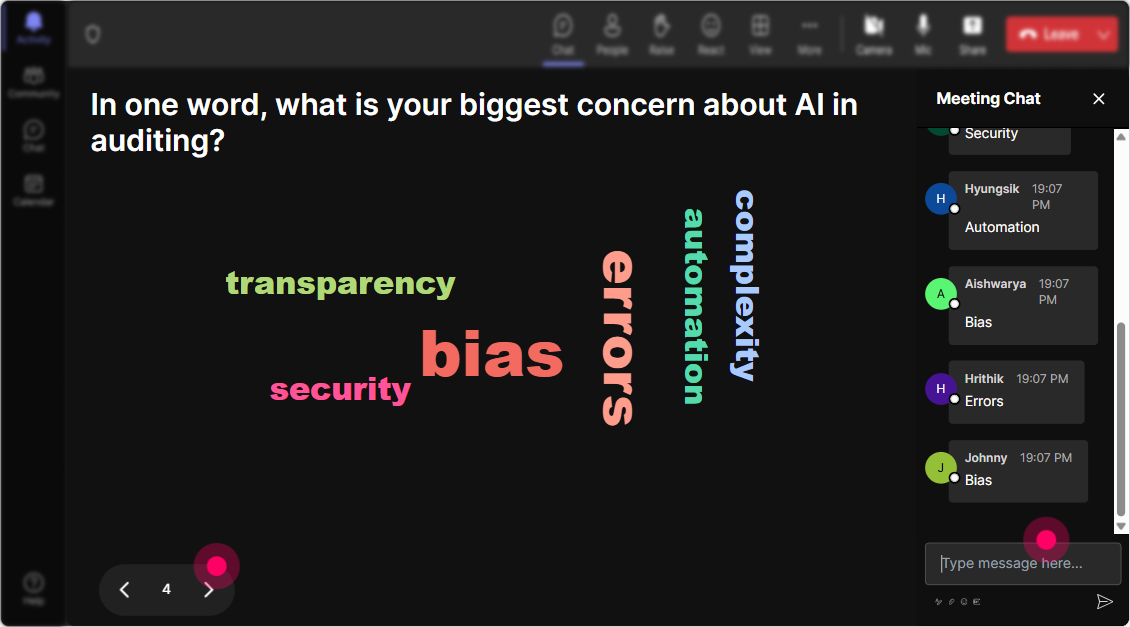
Check in with how people feel about AI adoption by generating a real-time word cloud from their responses. Terms like 'excited', 'intimidated', or 'curious' can spice up the conversation as a reflection of group sentiment.
Talking About AI Impacts
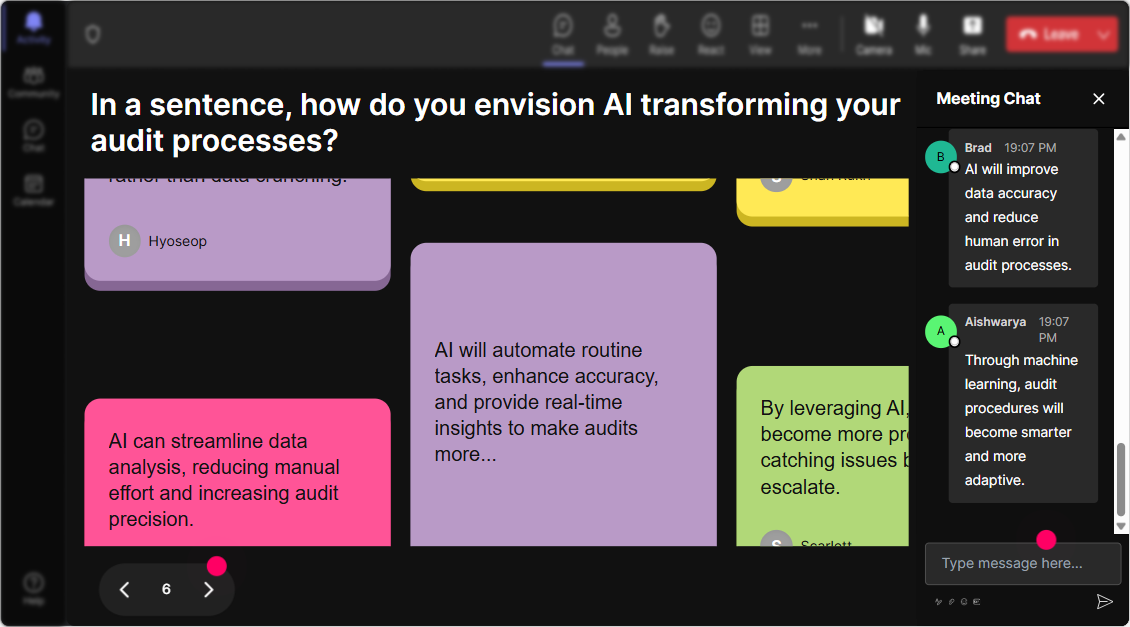
Ask participants how AI is expected to affect their roles-let their answers dance on the screen with Talking Tiles. This will visually animate their input and keep the interaction lively.
AI Learning Preferences
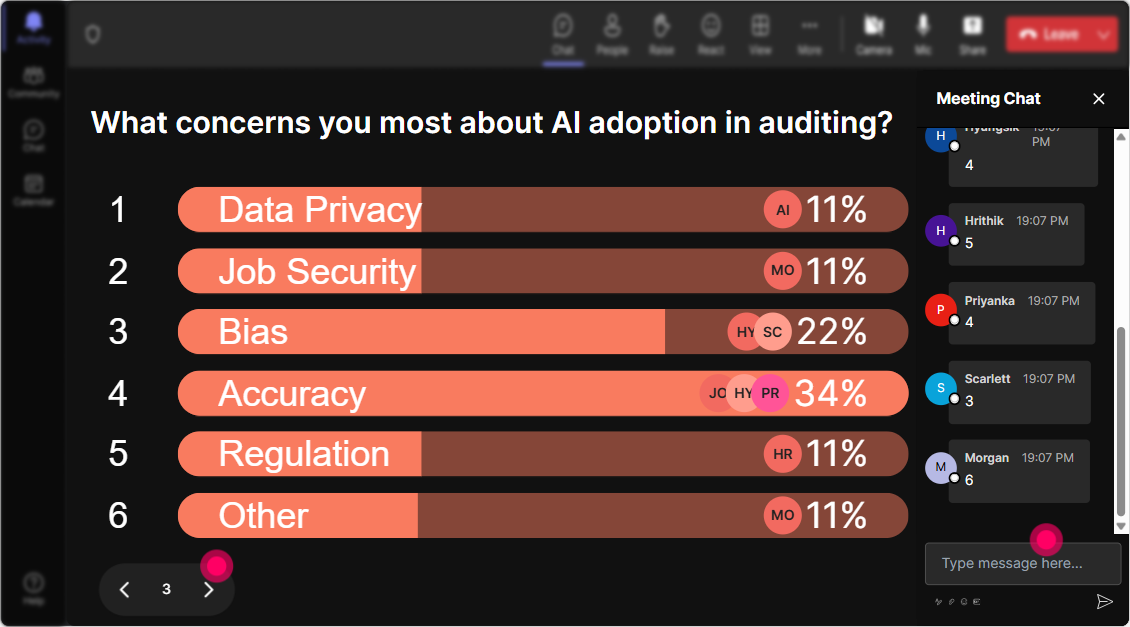
Use a Power Poll to gauge what aspect of AI adoption participants are most keen to explore. Whether its data analytics or process automation, youll know exactly where to steer the session.
Fate Decides Your Turn
Need a brave volunteer to share their thoughts? Activate the "Spinner Wheel", let it choose whos up next to speak. Its a fun way to share the floor and shake off any pause in discussion.

Time to Challenge It!
Test your audience with a quick quiz on AI basics. Throw in a question like Which AI tool can detect patterns in data? and engage them by revealing the right answer afterward.

Gauge the AI Know-how
Wondering where everyone stands with AI? Use Rating Polls to simply ask, How confident are you with AI technologies right now, on a scale of 1-5?
Questions in the Flow
Let StreamAlive automatically display submitted questions, cutting out the need for a separate Q&A box. It keeps the interaction seamless and focused, right within the chat.

Crunching the Engagement Numbers
After wrapping up your session, dive into StreamAlives analytics to see where you hit the mark with your audience and who was the most engaged. You can even send out interaction highlights via Teams or email.

Use StreamAlive in all your training sessions
StreamAlive isn’t just for
AI adoption
training,
it can also be used for any instructor-led training session
Explore similar traingin ideas: unlocking the potential of StreamAlive
See how StreamAlive transforms live training with engaging events and interactive sessions across industries.

Interactions in action
(it's free)

.svg.png)


