

AI compliance Training for store operations teams
StreamAlive helps 9x the audience engagement in your Virtual Instructor-led Trainings (VILT).
Make your instructor-led AI compliance training more fun with polls, word clouds, spinner wheels and more
Works inside your existing PowerPoint presentation
Install the StreamAlive app for PowerPoint and see your slides come to life as people participate in your interactions
AI generates audience interactions for you
Let our AI scan your presentation and automatically come up with relevant questions based on the content. Or spend two hours coming up with your own questions, your choice!
Built to work with MS Teams and Zoom
Native apps for Teams and Zoom so you never have to leave your existing workflows
No QR Codes
Chat-powered interactions means your audience doesn’t need to scan QR codes or look at another screen to participate. They just type in the chat!

Quickly approved by your IT team
StreamAlive’s apps for Teams and Zoom means that they have been through rigorous quality assurance and client safety reviews. You’ll find everything an IT team needs to approve the app within the organization within your StreamAlive account.

Youve been asked to conduct AI compliance training for store operations teams and you want to make the session fun and interesting. Let's see how to make that happen.
Map Magic with Magic Maps
Break the ice and kick things off by asking your audience to share their store locations or dream destination using StreamAlives Magic Maps. This not only puts your audience on the map but also sets a lively tone for the session. You could ask, 'Where are you operating from today?' or 'If you could open a store anywhere in the world, where would it be?' It's a fantastic way to get everyone involved from the get-go.

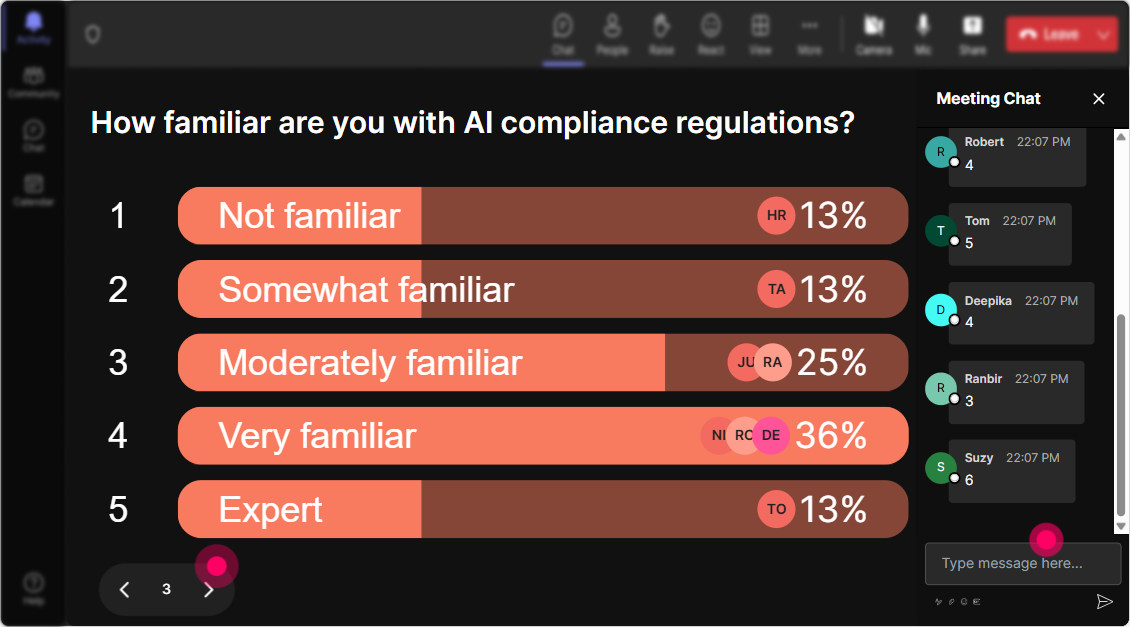
Gauge Their Expertise with Rating Polls
Find out what everyones knowledge of AI compliance is with a quick Rating Poll. Ask them to rate their understanding on a scale of 1 to 10. This will give you a clear idea about the familiarity of your audience with AI compliance and help tailor your training session effectively.

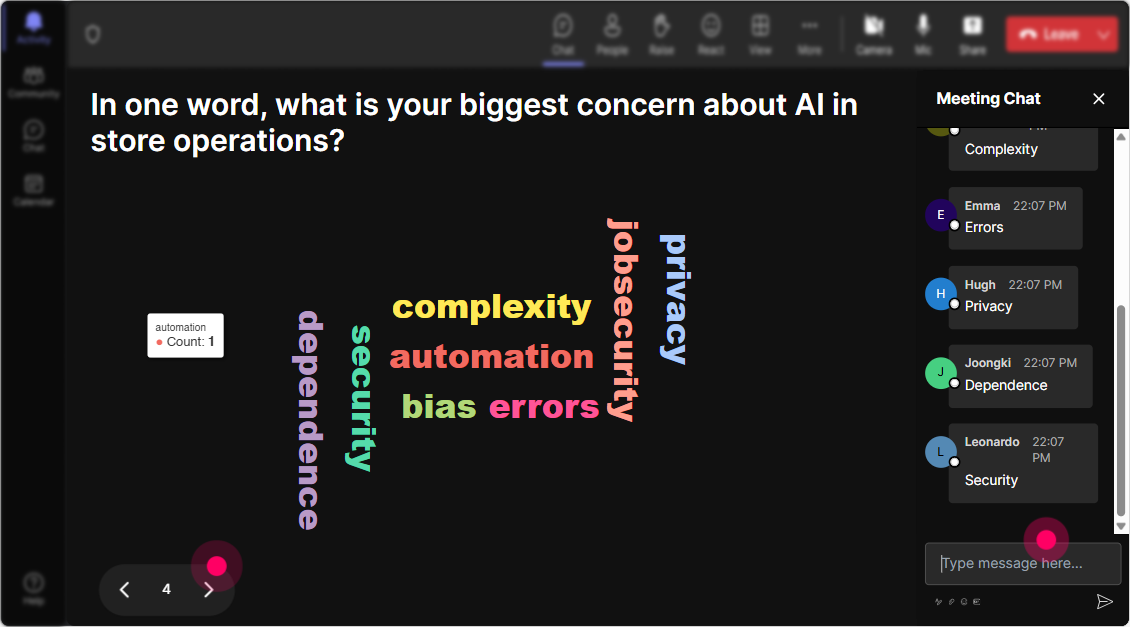
Capture Emotions with Word Cloud
How do people feel about AI compliance training? Excited? Intimidated? Scared? Fearful? Dismissive? Use StreamAlive's Word Cloud to capture the emotions buzzing in the room. This tool vividly reflects collective sentiment and gives you a snapshot of the rooms mood towards AI compliance.
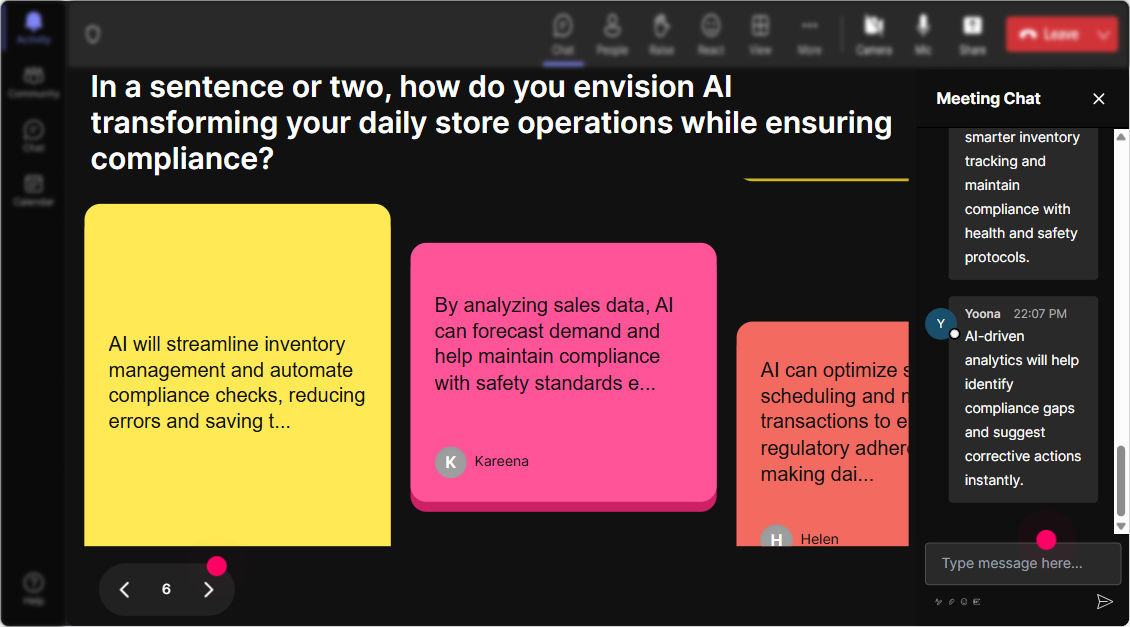
Engage with Impact Using Talking Tiles
Use Talking Tiles to dig deeper into personal experiences by asking participants how AI compliance impacts their job role. Their responses will cascade onto the screen like Tetris blocks, creating a dynamic visualization that's as engaging as it is informative.
Probe Curiosity with Power Polls
Want to know what aspect of AI compliance your audience is most curious about? Run a Power Poll to explore topics they're itching to dive into-'Is it data privacy, transparency, or ethical use of AI?' Customize your training content on-the-fly according to their interests.
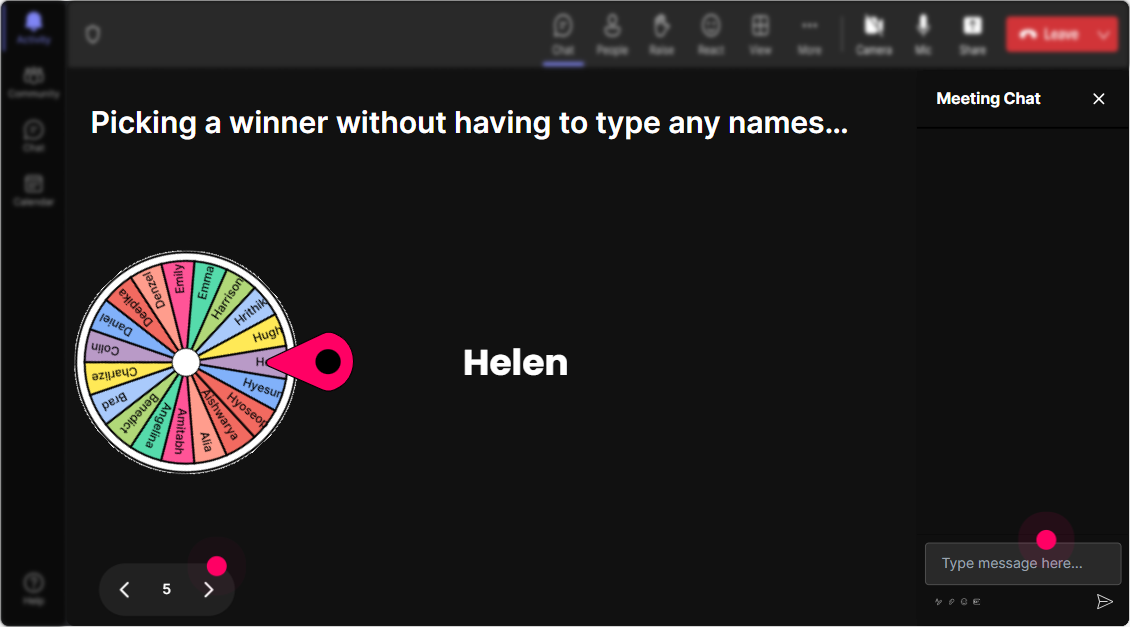
Volunteer Roulette with Spinner Wheel
Looking to bring some spontaneity to your session? Use the Spinner Wheel to select volunteers randomly. Ask for someone to unmute and speak about a certain AI compliance issue, but let fate decide who speaks first. This adds a fun element of surprise and encourages participation.
Test Their Knowledge with Quiz
A little competition can be motivating. Challenge your audience with a multiple-choice quiz, asking them a specific question about AI compliance where only one answer is correct. This keeps them on their toes and solidifies their learning.

Gauge Their Expertise with Rating Polls
Find out what everyones knowledge of AI compliance is with a quick Rating Poll. Ask them to rate their understanding on a scale of 1 to 10. This will give you a clear idea about the familiarity of your audience with AI compliance and help tailor your training session effectively.
Streamlined Inquiries with Q&A
Make managing questions easy with StreamAlive's Q&A feature. It automatically collects questions from the chat, so you dont have to scan through messages manually. This ensures nothing gets missed and results in a smooth, organized Q&A segment.

Analyze Engagement with StreamAlive Analytics
After the session, see how your presentation held participants' attention, identify who the most engaged team members were, and assess the effectiveness of each interaction. These insights can be shared conveniently via Teams or Email. This valuable feedback loop helps you refine future training sessions for better impact.

Use StreamAlive in all your training sessions
StreamAlive isn’t just for
AI compliance
training,
it can also be used for any instructor-led training session
Explore similar traingin ideas: unlocking the potential of StreamAlive
See how StreamAlive transforms live training with engaging events and interactive sessions across industries.

Interactions in action
(it's free)

.svg.png)


