

Dispute resolution Training for tax advisors
StreamAlive helps 9x the audience engagement in your Virtual Instructor-led Trainings (VILT).
Make your instructor-led Dispute resolution training more fun with polls, word clouds, spinner wheels and more
Works inside your existing PowerPoint presentation
Install the StreamAlive app for PowerPoint and see your slides come to life as people participate in your interactions
AI generates audience interactions for you
Let our AI scan your presentation and automatically come up with relevant questions based on the content. Or spend two hours coming up with your own questions, your choice!
Built to work with MS Teams and Zoom
Native apps for Teams and Zoom so you never have to leave your existing workflows
No QR Codes
Chat-powered interactions means your audience doesn’t need to scan QR codes or look at another screen to participate. They just type in the chat!

Quickly approved by your IT team
StreamAlive’s apps for Teams and Zoom means that they have been through rigorous quality assurance and client safety reviews. You’ll find everything an IT team needs to approve the app within the organization within your StreamAlive account.

So, youve been tasked with leading a dispute resolution training for tax advisors - a session known for its intricacies and intensity. But who says it has to be dull? Let's explore how you can spice things up, making your training engaging, interactive, and downright fun!
Using Magic Maps to Kickstart Engagement
Start your session by asking participants, From which part of the world are you hailing today? Watch as the Magic Maps lights up, giving you and everyone else a fantastic view of the diverse locations youre connecting with. Not only does it break the ice, but it also underscores that dispute resolution is a universal need.

Gauge Understanding with Rating Polls
Before diving into the nitty-gritty of dispute resolutions, ask your audience to rate their current understanding of this topic. It's a great way to tailor your session on-the-fly based on immediate feedback and ensure your trainees are getting the most out of the session.

Capture Feelings with Word Clouds
Ask participants to describe their feelings towards dispute resolution in one word. You might discover emotions ranging from confused to intrigued or eager. This not only provides insights into the mood but also allows you to tackle reservations or capitalize on the excitement shared among your audience.
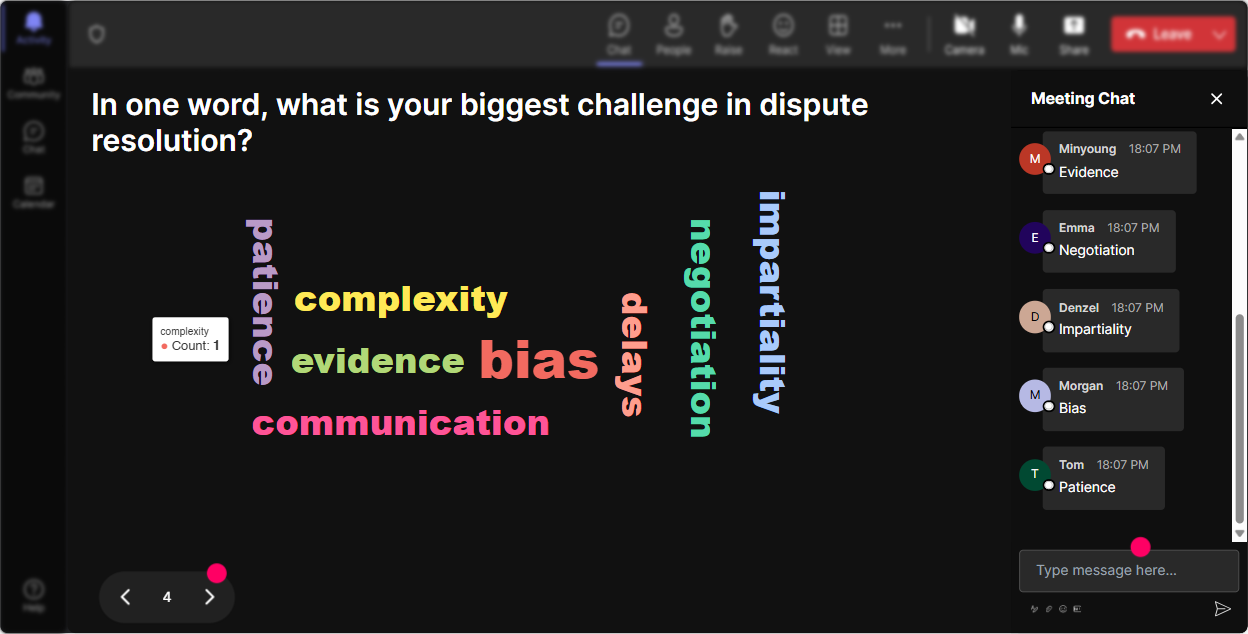
Highlight Job Impact with Talking Tiles
Pose a question like, How has dispute resolution impacted your job? As responses flow in, theyll cascade down the screen like Tetris tiles, creating an engaging visual of the variety of impacts and stories shared by your audience.

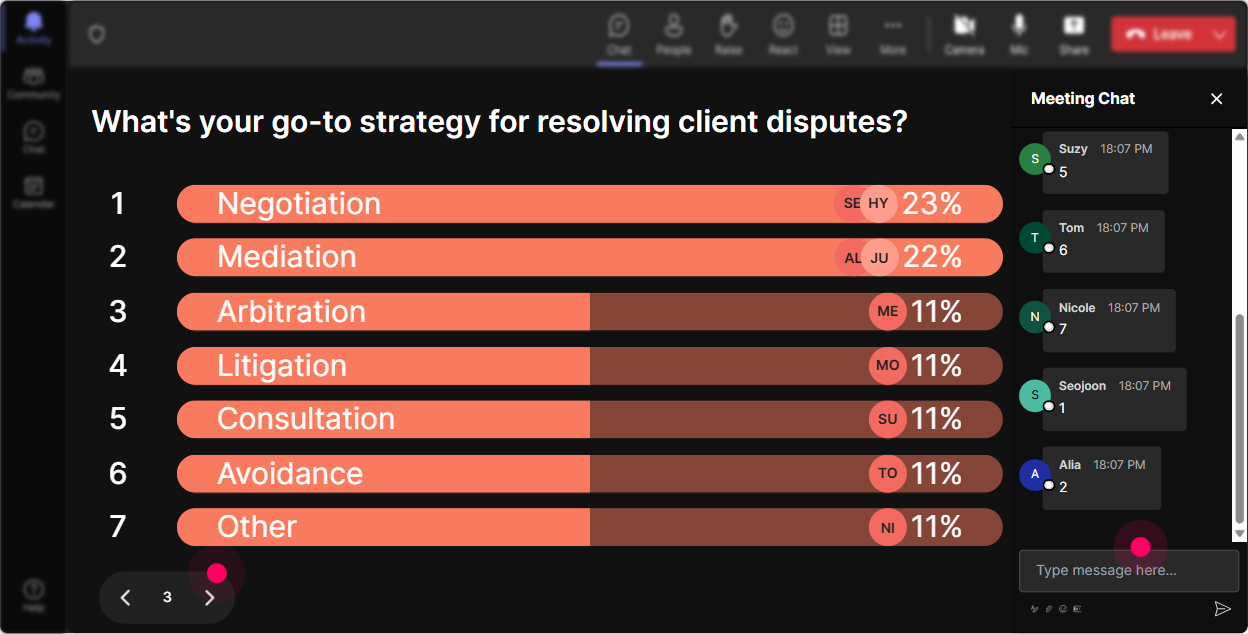
Discover Interests with Power Polls
Use a Power Poll to find out which areas of dispute resolution your attendees are keenest to learn about. Is it negotiation strategies, effective communication, or resolving specific taxation disputes? This helps prioritize the content that resonates most with your group.
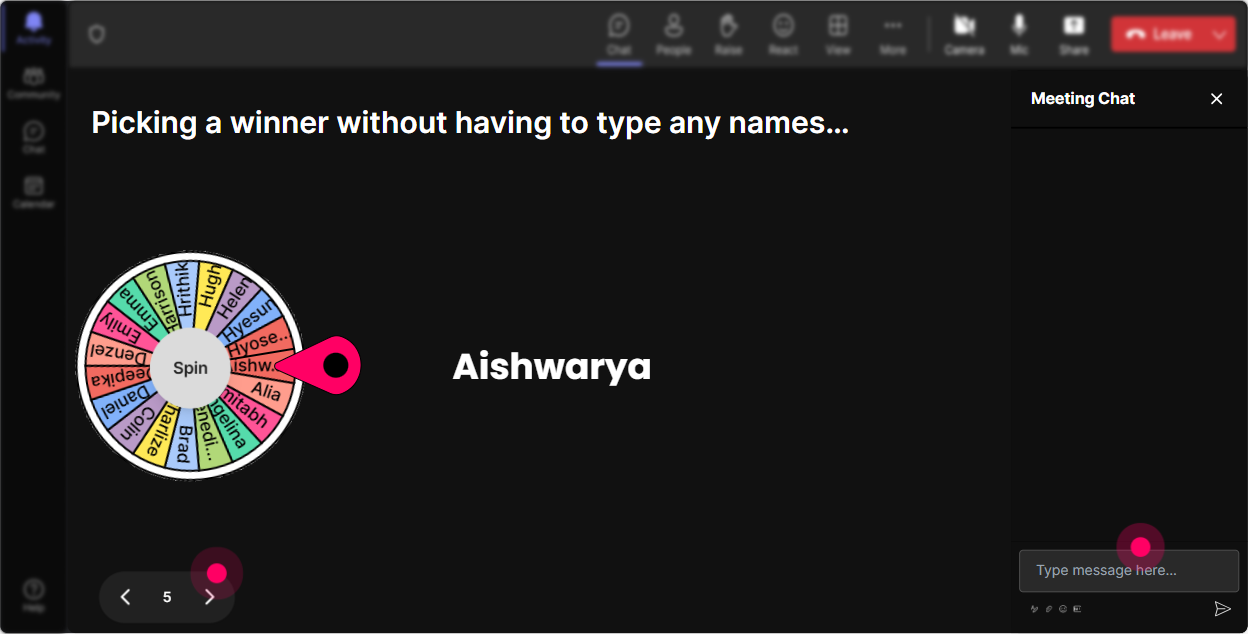
Random Speaker Selection with Spinner Wheel
Encourage interaction by asking a question and letting the Spinner Wheel randomly select who gets to share their thoughts or experiences. This tactic livens up the session and ensures that more voices are heard, promoting a participative environment.
Test Knowledge with Engaging Quizzes
Sprinkle your session with mini-quizzes asking questions like, Whats the first step in resolving a tax-related dispute? Whether to validate learning or challenge preconceptions, quizzes keep everyone on their toes and reinforce the material in an interactive way.

Gauge Understanding with Rating Polls
Before diving into the nitty-gritty of dispute resolutions, ask your audience to rate their current understanding of this topic. It's a great way to tailor your session on-the-fly based on immediate feedback and ensure your trainees are getting the most out of the session.
Seamless Q&A with Quick Questions
StreamAlive effortlessly captures audience questions from the chat without needing a separate Q&A session. This feature ensures no question goes unanswered, boosting the interactive feel of your training, while you continue to stay on topic.

Reflect on Engagement with Comprehensive Analytics
Dive into StreamAlives analytics to review which parts of your session were most engaging, spotlight your most proactive participants, and get a detailed look into how interactions unfolded. Share these insights with your team and continuously refine your training strategy for maximum impact.

Use StreamAlive in all your training sessions
StreamAlive isn’t just for
Dispute resolution
training,
it can also be used for any instructor-led training session
Explore similar traingin ideas: unlocking the potential of StreamAlive
See how StreamAlive transforms live training with engaging events and interactive sessions across industries.

Interactions in action
(it's free)

.svg.png)


