


Are you looking for fresh ways to engage your audience beyond AhaSlides? AhaSlides is a fantastic interactive presentation tool, known for its easy live polls and quizzes. But depending on your needs (whether you’re a teacher, corporate trainer, or event facilitator) other solutions might suit specific scenarios even better.
Below, we explore five top AhaSlides alternatives, each with its own strengths, ideal use cases, and pricing.
1. StreamAlive – Best for Virtual Training Sessions
If you’re a virtual instructor-led trainer, corporate facilitator, or educator, StreamAlive was built just for you. This platform focuses on turning passive online meetings into lively two-way conversations.
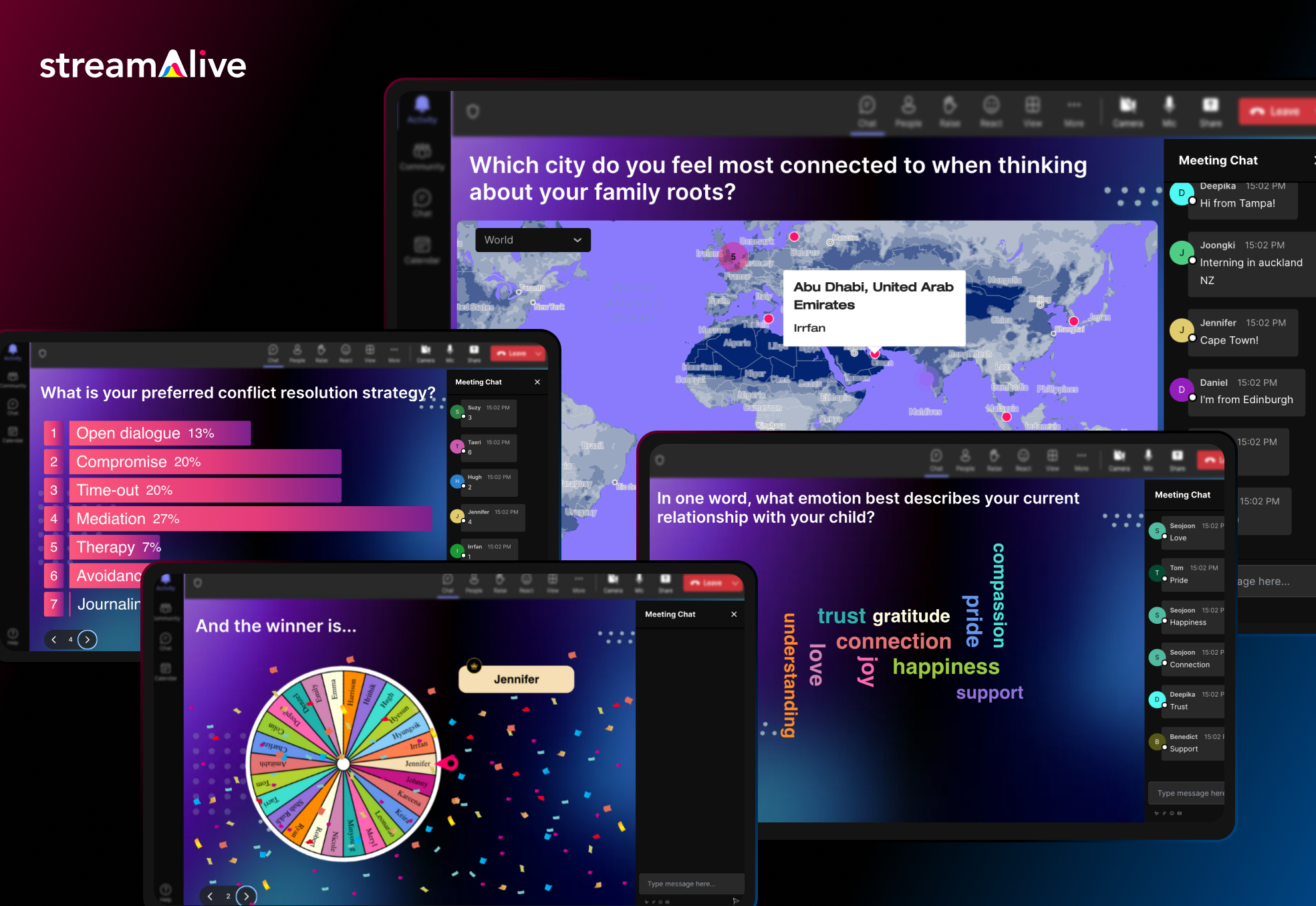
How? StreamAlive taps into the chat of your live session to power interactions. Participants don’t need to fumble with separate apps or QR codes, they simply type in the Zoom/Teams/Meet chat, and StreamAlive magically transforms those messages into live polls, word clouds, maps, or even a fun spinner wheel on your screen.
Participants don’t need a separate app or to scan a code, they just type responses in the chat, and StreamAlive instantly visualizes the input on screen as polls, word clouds, maps, or even fun spinner wheels.
In fact, StreamAlive works inside all major meeting platforms (Zoom, Microsoft Teams, Google Meet, YouTube Live, Twitch, even hybrid or in-person events) without extra links or QR codes, attendees just use the existing chat window.
Now you can also embed Streamalive interactions in presentation software like PowerPoint, Gamma, Google Slides, Miro, etc.
Here’s a sneak peek.
StreamAlive’s features are tailored to keep an online crowd awake and participating. You can run quizzes and polls, ask open-ended questions, visualize where people are from on a map, or spin a wheel to randomly pick a participant – awesome for keeping everyone on their toes. The platform even leverages AI to help presenters: it can summarize a flood of chat messages into key takeaways or highlight popular opinions in real-time. This is a lifesaver in long training sessions where the chat can explode with comments and you need to make sense of it all. The AI can also generate quirky visuals from the chat content, which adds a fun surprise element for your audience.
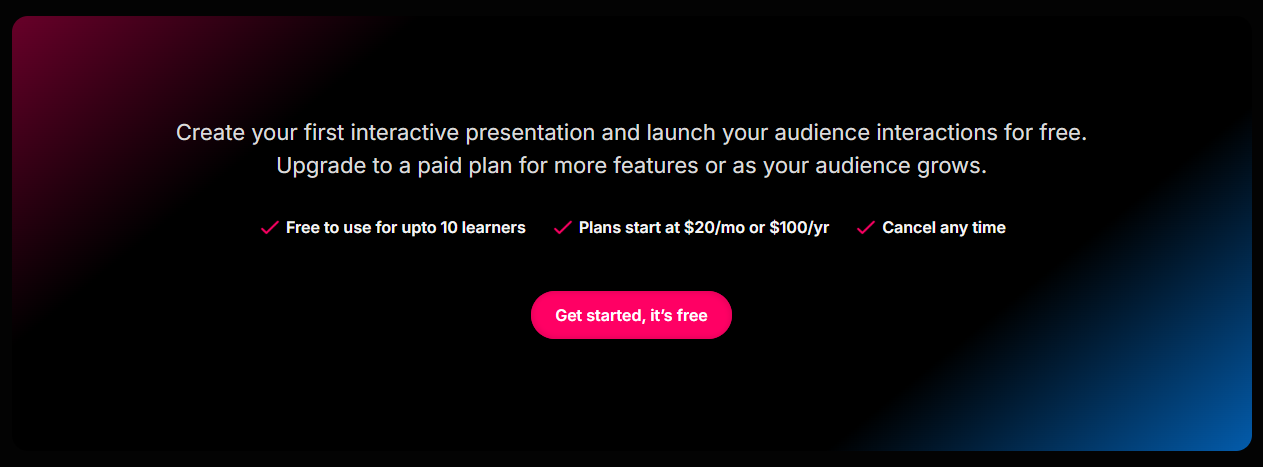
Pricing: StreamAlive offers a free plan for small sessions and simple try-outs (free for up to 10 learners/commenters per session). This is great if you want to test it in a small class or team meeting. As your audience grows, paid plans start at around $30 per month (or $150/year) which covers up to 100 active participants in a session. Higher tiers are available if you need to accommodate bigger groups or want enterprise features.
One nice thing is that pricing is based on how much you use its AI. Most sessions have fewer than 100 people which is covered in its Starter Plan. It’s how much you use the AI to generate new interactions (you can come up with your own interactions manually, so you don’t need to use the AI), how much you use the AI to summarize the chat (which is optional, so you could do dozens of sessions and not use the AI), and other interactions that use AI like the word clouds and Q&A feature.
StreamAlive is built to slot into your existing workflow. It has dedicated apps for PowerPoint so you can embed interactive slides like polls, word clouds, interactive maps, and spinner wheels directly in your existing PowerPoint deck.
It also has dedicated apps for Zoom and Teams that you can install to embed interactive activities directly into those platforms. But even without the app, you can just open StreamAlive in a browser alongside your presentation.
Because it reads the meeting chat, it’s compatible with virtually any virtual meeting software. Whether you’re screen-sharing a PowerPoint on Teams, teaching via Google Meet on a Chromebook, or live streaming on a Mac, StreamAlive has you covered.
The bottom line: for live online training sessions where you want maximum audience participation without disrupting the flow, StreamAlive is a powerful (and pretty neat) alternative to Mentimeter. It puts engagement on autopilot for the host, which is perfect if you love interactive sessions but don’t want the tech to get in the way of teaching.
2. Kahoot! – Gamify Your Audience Interaction
Kahoot is a well-known platform that turns Q&A into a game show. If you’ve ever been in a classroom or webinar where participants race to answer quiz questions on their phones, you’ve likely seen Kahoot in action. It’s hugely popular in schools for making learning fun, and it also works for businesses wanting to add a playful quiz competition to meetings.
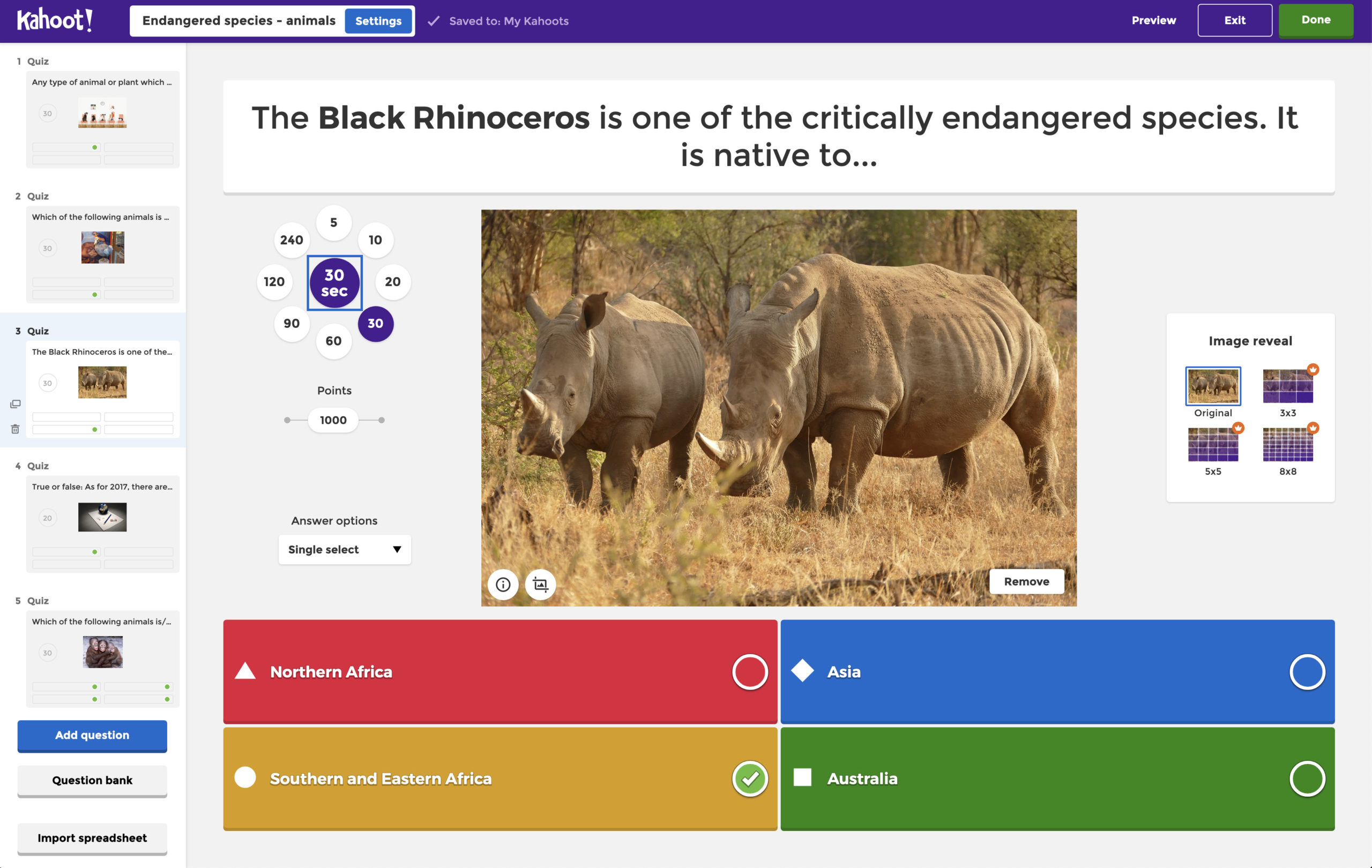
Kahoot specializes in interactive quizzes, trivia and polls with gamification. You create multiple-choice questions (or true/false, puzzles, etc.), and participants join via a code on their device. The questions are timed, and participants earn points for correct answers, creating a fun competitive leaderboard that everyone can see. This game-like approach is incredibly engaging, especially for younger audiences or team-building events. Kahoot provides lots of pre-made templates and themes to get you started. It even has music and colorful graphics to hype up the experience. However, Kahoot is less about open-ended discussion and more about fast-paced quizzes. So it’s fantastic for energizing a group or reinforcing knowledge with a playful twist.
Choose Kahoot when you want to inject energy and competition into your session. Teachers use it to review lessons in a fun way, and trainers might use it as an icebreaker or knowledge check. It’s intuitive for participants, they just tap answers on their phones, and the excitement of who’s on the leaderboard keeps everyone involved. Do note, Kahoot is so geared toward gamified quizzes that it may feel a bit constrained for more formal settings; there’s limited branding or customization for corporate identity, and if you need detailed feedback or open Q&A, other tools might fit better. But for pure engagement and fun, it’s hard to beat.
Pricing: Kahoot offers a free version that lets you create basic quizzes and host games for a limited number of players, good for small group usage. For larger groups or advanced features, they have a variety of plans. Pricing is a bit complex because they have plans for different user types (personal, educator, business, etc.). Paid plans for individuals or small teams start at about $7.99/month (this unlocks things like higher player limits, custom branding, and detailed reports). In educational plans, for example, Kahoot’s Premium+ might run around $9 per month (annual billing) for up to 500 players in a game. For businesses, the Kahoot! 360 plans range roughly from $15 to $39 per host per month depending on features. Enterprise or large event packages are available with custom pricing for huge audiences. In short, free Kahoot works for small games, but if you have a big crowd or need advanced options, be ready to invest in a paid plan.
3. Mentimeter – Polished Live Polls and Q&A
Mentimeter is an interactive presentation tool that’s perfect for real-time polls, word clouds, and Q&As with a professional, polished feel. It’s widely used in conferences, classrooms, and business meetings alike. If you want something that seamlessly embeds into your presentation and gives you beautiful visual results (without the overt gamification of Kahoot), Mentimeter is a top choice.
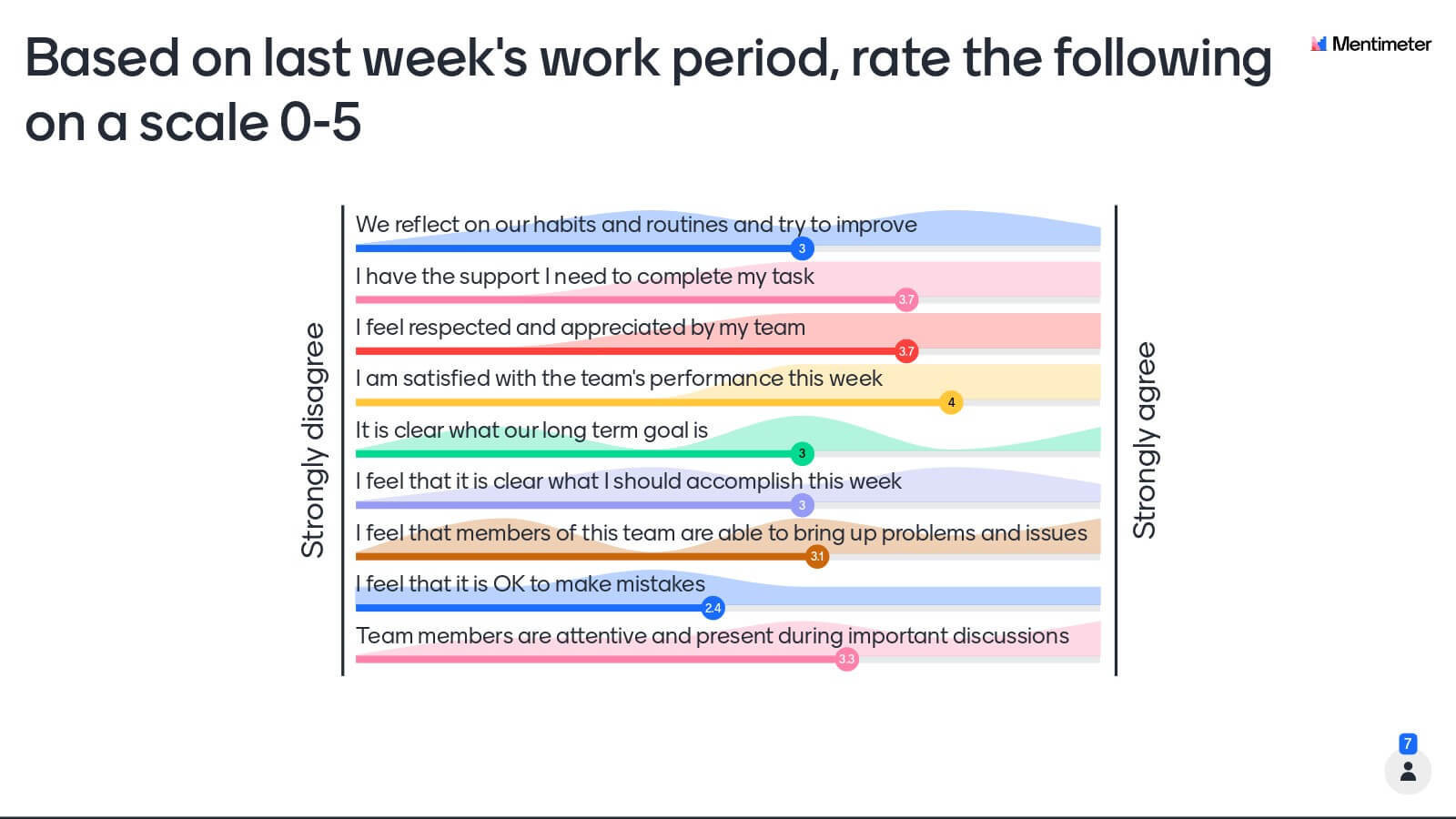
With Mentimeter, you can create many question types, multiple-choice polls, open-ended questions, ranking scales, word clouds, quizzes, and more, and get responses from your audience in real time. The results update live on your slides in attractive formats, which is great for visual learners. Mentimeter also provides a library of templates tailored to different scenarios (team meetings, workshops, class quizzes, etc.) to help you get started. Participants join by entering a code (on menti.com) and can respond anonymously if you enable that, which often encourages honest feedback. Presenters love how user-friendly the interface is during a session, you can switch between slides and see live results smoothly. Keep in mind, the free version of Mentimeter has some limitations (like a cap on the number of questions or participants per month), but it’s enough for testing or small meetings. Advanced features like exportable reports or custom branding come with paid plans.
Mentimeter shines in professional and educational settings where you want audience input without a game show vibe. It’s superb for gathering opinions, running live surveys, or brainstorming in a large lecture or all-hands meeting. For example, you can throw a question to hundreds of attendees (“What’s one word to describe X?”) and instantly display a word cloud of their responses, a real crowd-pleaser. It supports up to thousands of participants on paid plans, so scale isn’t an issue. Presenters also appreciate integrations with tools like PowerPoint and Google Slides, making it easy to incorporate polls into existing slide decks. One thing to note: Mentimeter’s coolest features (like unlimited questions, advanced analysis, or the ability to have more than 50 people respond per month) require a paid plan, the free tier will suffice only for very small-scale use due to its participant/month limit. But if you’re willing to invest, Mentimeter provides a reliable, sleek platform to engage audiences of any size.
Pricing: Mentimeter offers a Free plan which allows basic functionality, you can create unlimited presentations, but you’re limited to 2 question slides per presentation and up to 50 audience responses per month on the free tier. This is enough for a single classroom or small meeting, but larger usage will quickly bump into that limit. Paid plans start at about $11.99-$13 per month (billed annually) for the Basic plan. The Basic plan removes most limits: you get unlimited questions per presentation and up to 250 participants per presentation (per session) which is plenty for many use cases. The next tier, Pro, is around $24.99/month (annual billing) and adds advanced question types, reporting exports, and branding options. Mentimeter also has Enterprise plans with custom pricing for organizations that need higher participant caps (up to 10,000 in one session) or multiple team members collaborating. For educators and students, there are sometimes discounted plans (e.g. around $10/month for teachers). In summary, Mentimeter’s free version is a good intro, but serious usage (especially in business) will likely require a paid plan at roughly $150-$300 per year for a single presenter.
4. Slido – Q&A and Polling for Events and Meetings
Slido is a powerful audience interaction tool well-known for Q&As and live polls, particularly in conferences, all-hands meetings, and large events. If you’ve been to a tech talk or company town hall where people submit questions and vote them up, that was probably Slido. It’s now part of Cisco (integrated with Webex), but you can use it independently in Zoom, Teams, or live events. Slido’s specialty is making it easy to collect questions from the crowd and get instant feedback.
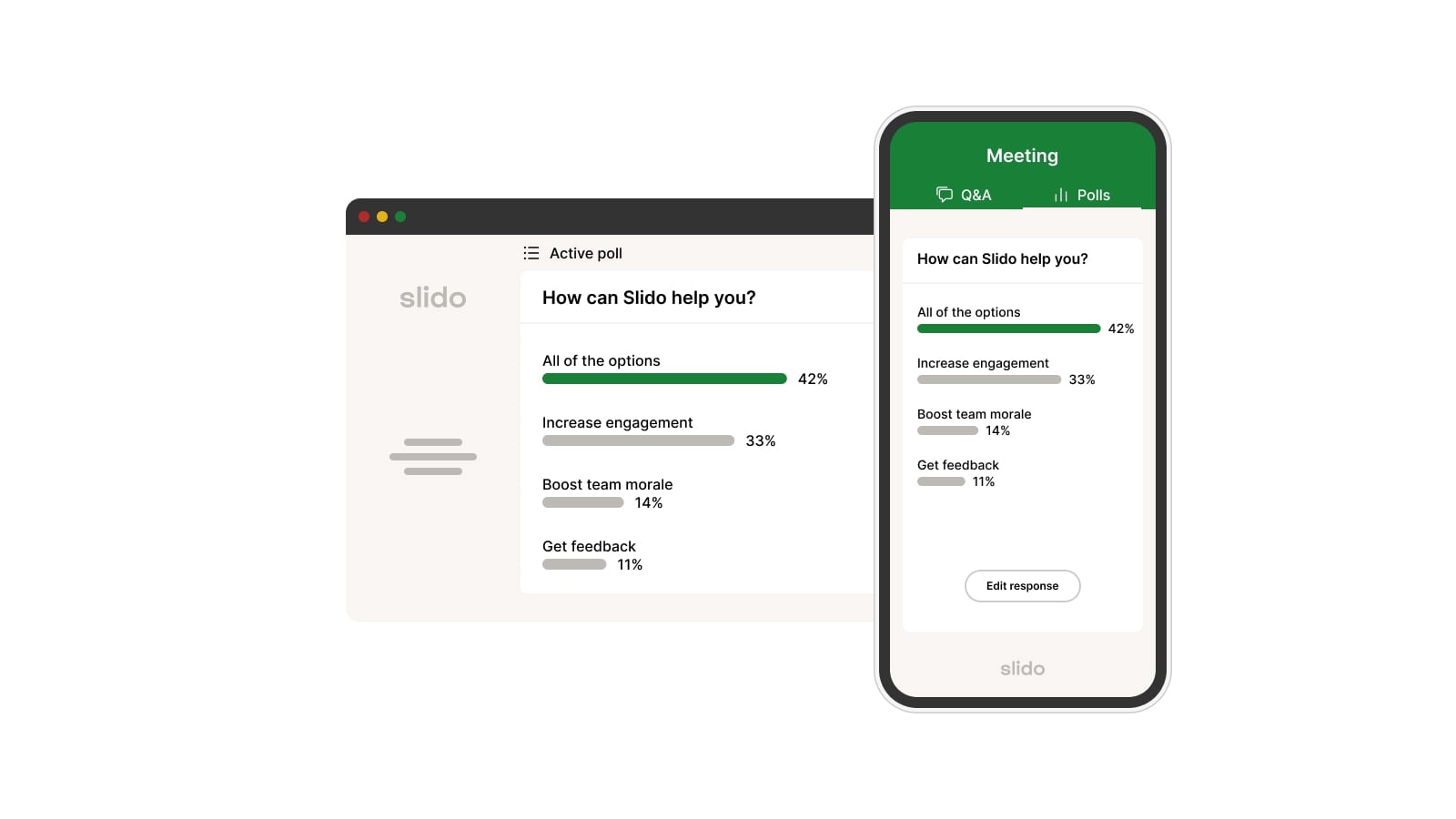
Slido supports live polling (multiple choice, word clouds, quizzes, rating scales, etc.) and, importantly, an audience Q&A module. During a Q&A, participants can submit questions anonymously and upvote others’ questions, helping surface the most popular ones to address. This feature is hugely popular for panel discussions or company meetings, ensuring the most pressing questions get answered. Slido’s polls and quizzes are also very polished, and you can run them without participants leaving your main presentation (integrations exist for PowerPoint and others). Another plus: Slido’s interface is simple for participants, usually a short event code or link, no login needed, and they can join from mobile or desktop easily. The free plan does have some limitations (e.g. max 100 participants and a cap on number of poll questions per event), but it’s generous enough to use in many small events. Paid plans unlock features like data exports, moderation of questions, custom branding, and larger audience sizes.
Slido is the go-to when your priority is structured Q&A and broad participation. In a big meeting, not everyone will speak up, but with Slido, they can type questions or vote on topics, giving everyone a voice. Moderators can filter out inappropriate questions if needed (on paid plans). It’s also great for live polling during presentations, e.g., asking “How do you feel about this change?” and seeing a chart update in real time, or doing a quick quiz to keep things lively. Slido’s anonymity option encourages candid feedback (useful for sensitive topics). For hybrid or virtual events, Slido keeps remote attendees as engaged as those in the room. One limitation: deep customization of appearance is limited (especially on free), and some advanced analytics are only on higher tiers. But overall, Slido is a robust, scalable solution, whether for a 20-person meeting or a 2,000-person conference.
Pricing: Slido has a Free Basic plan that’s pretty generous: you can run unlimited events with up to 100 participants each, and include polls (up to 3 polls per event) and Q&A for free. This is great for classrooms or small team meetings. For larger needs, the Engage plan is about $17.50/month (billed annually) and increases the audience limit to 200 participants, with unlimited polls, quizzes, surveys, and the ability to export data. The Professional plan is around $75/month (annual) and raises the cap to 1,000 participants, plus adds advanced features like branding, analytics, and moderation tools. Slido even has an Enterprise tier (~$200/month) for events with unlimited participants and enhanced security. Additionally, if you only need Slido for a one-off big event, they offer one-time event pricing (e.g. ~$60 for a large one-time session as per their site). For many, the free plan might suffice initially, but if you regularly have bigger crowds or need those pro features, you’ll be looking at roughly $210/year for Engage or $900/year for Professional (per user). The good news is that Slido’s free tier lets you try it in real scenarios before deciding.
5. Poll Everywhere – A Classic Solution (and Baseline for Comparison)
Poll Everywhere has been around since 2007 and is one of the original audience response tools. It lets you embed live polls and Q&As into presentations, with participants responding via web or even SMS. We include Poll Everywhere here both as an alternative to AhaSlides and because many readers searching for “Poll Everywhere alternatives” might be considering the tools we listed above. Poll Everywhere is a trusted, versatile platform, but some newer tools (like those above) have emerged with different strengths.
With Poll Everywhere, you can create various activity types: multiple-choice questions, open-ended questions, word clouds, clickable image polls, ranking polls, and more. These can be embedded in PowerPoint, Google Slides, or Keynote, so your audience sees the questions appear in your slides seamlessly. Participants can respond via a short link on their device, or even by texting a code to a phone number (hence the name Poll “Everywhere”). Results show up live on your slides. Poll Everywhere also supports a basic Q&A mode and even competitions (quizzes with scoring). It’s a solid, no-frills tool that focuses on reliability and integration. Over the years, it gained features like moderation, anonymous mode, and reporting. However, some users find the interface a bit dated or the customization options limited (e.g. you might not get fancy templates or themes without extra effort). Still, it covers the bases for live polling and Q&A.
Poll Everywhere is a good choice if you need a stable, proven solution that integrates well with slide presentations. Many universities and companies have Poll Everywhere licenses because it’s been a staple for live polling for so long. It works great in both small classes and large auditoriums. Also, if your audience might not all have smartphones or reliable internet, the SMS response option is a unique advantage (people can text their votes). That said, some reasons people look for alternatives are: Poll Everywhere’s free version is limited in audience size, its customization and templates are somewhat limited, and for very large scale or interactive features, other platforms might offer a smoother experience. But if you just need to pop a few polls into your presentation and trust it to work, Poll Everywhere does the job.
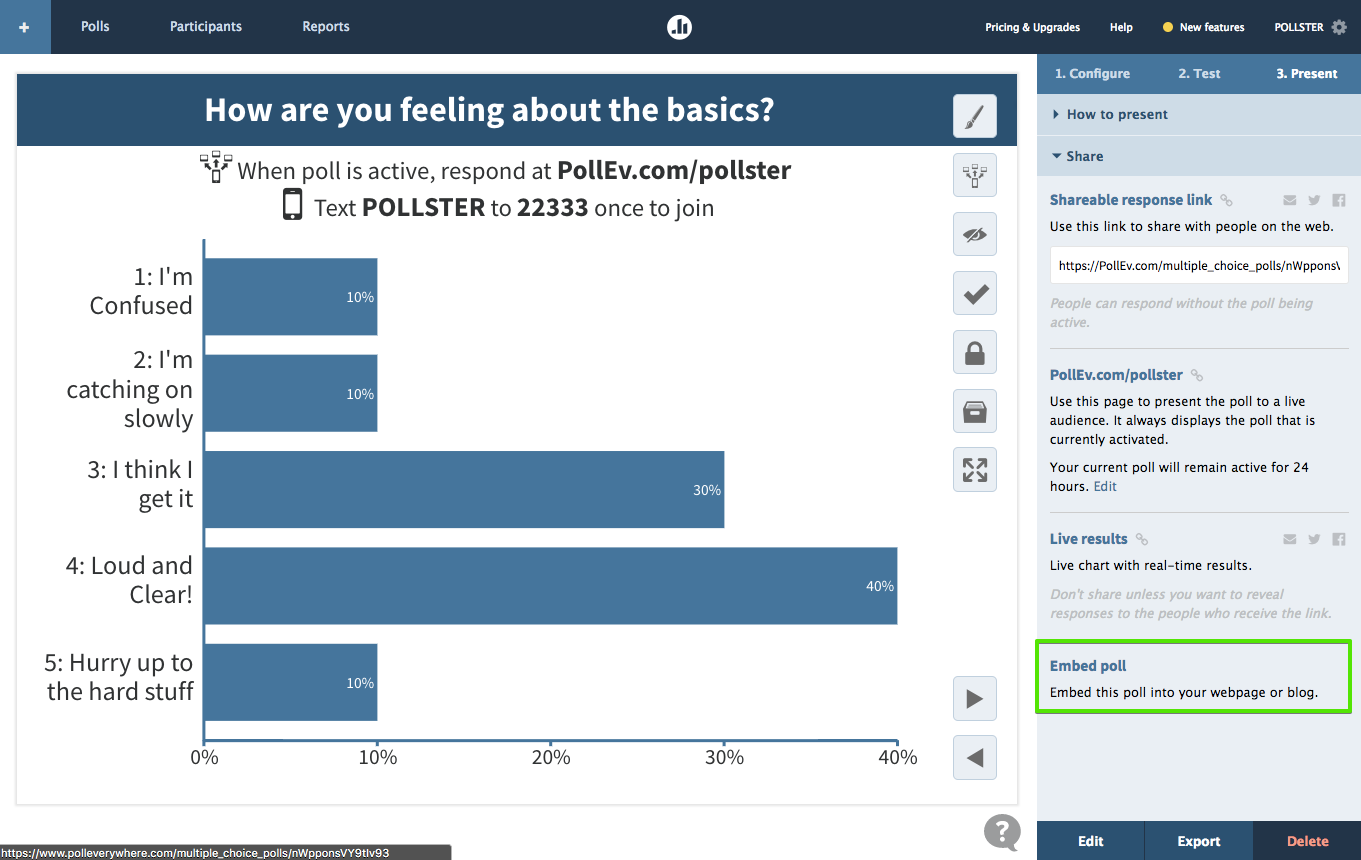
Pricing: Poll Everywhere has a tiered plan system. The Free Intro plan allows unlimited questions but only up to 40 audience members can respond in a given session. This free limit (recently around 40, previously 25) is fine for a classroom or small meeting, but not for bigger groups. The next step up is the Present plan, roughly $10 per month (billed annually at $120/year) for one user, which raises the audience limit to 700 participants per question. The Present plan also adds email support. Above that, the Engage plan is about $49/month (annual) and includes up to 700 participants plus advanced features like detailed reports, participant registration, and response moderation. For teams, there’s a Teams plan at ~$84/month (annual) which includes two user seats and extras like custom branding, shared activities, and priority support. And for large organizations, Enterprise/Custom plans can be tailored with higher limits and SSO integration. In summary, Poll Everywhere’s free version works for very small groups, but most professional use will require the $120/year plan at minimum. The good news is that all paid plans (even the basic one) allow that pretty generous 700-person audience size, which is enough for most events short of a conference keynote.


.svg.png)


