


Mentimeter is a popular interactive presentation tool. It lets you create live polls, quizzes, and Q&As to keep audiences engaged.
It’s great at what it does, but it’s not one-size-fits-all. For example, Mentimeter’s free plan limits you to 50 audience responses per month, which is a hurdle if you run frequent sessions or larger events.
The good news is that there are other audience engagement tools that might fit your specific needs even better.
Below, we explore five Mentimeter alternatives and the scenarios where each shines.
1. StreamAlive – Best for Virtual Trainers and Educators
If you’re a virtual instructor-led trainer, corporate facilitator, or educator, StreamAlive was built just for you. This platform focuses on turning passive online meetings into lively two-way conversations.
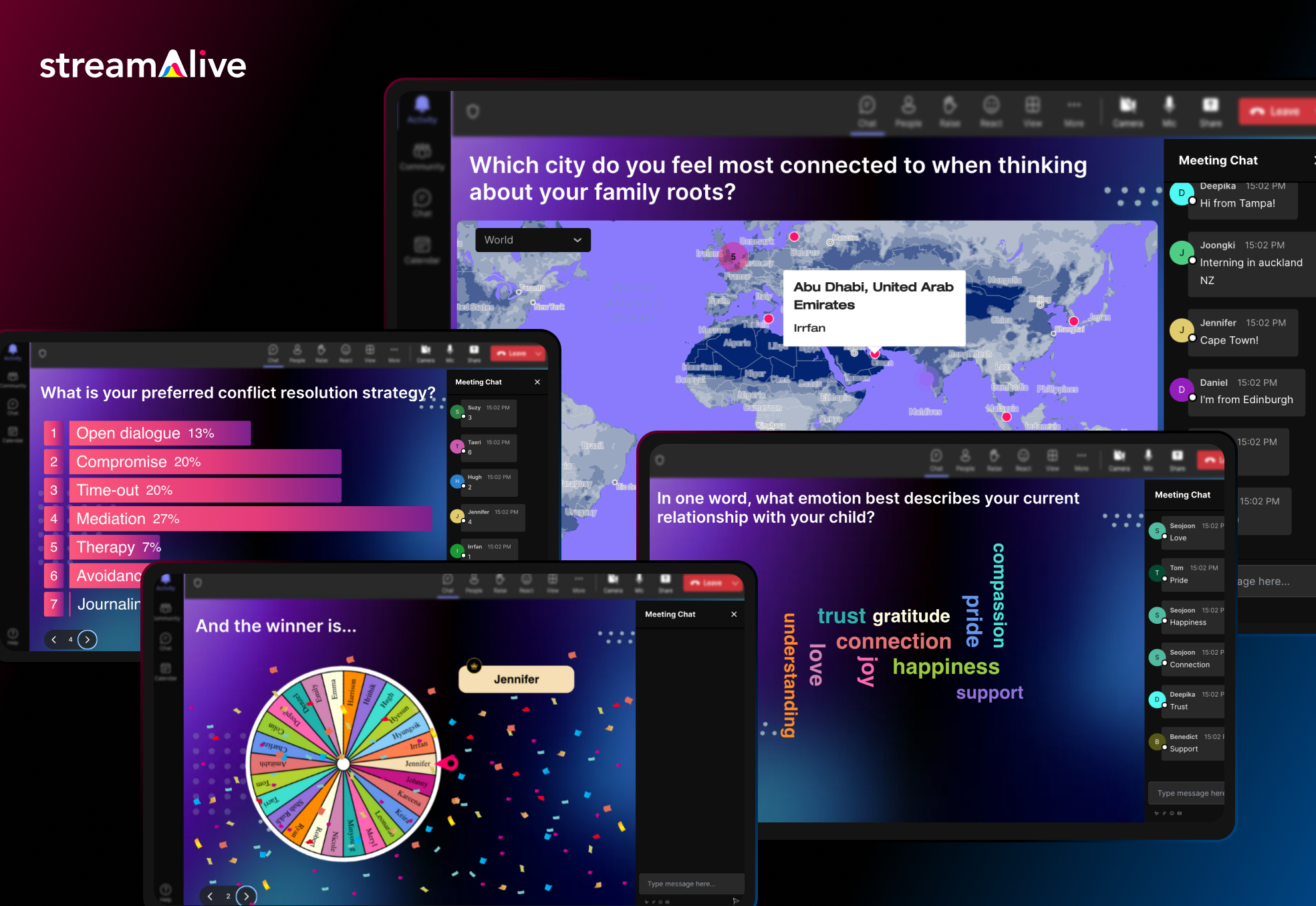
How? StreamAlive taps into the chat of your live session to power interactions. Participants don’t need to fumble with separate apps or QR codes, they simply type in the Zoom/Teams/Meet chat, and StreamAlive magically transforms those messages into live polls, word clouds, maps, or even a fun spinner wheel on your screen.
This chat-driven approach is super frictionless (no more “Go to menti.com and enter code...” instructions).
In fact, StreamAlive works inside all major meeting platforms (Zoom, Microsoft Teams, Google Meet, YouTube Live, Twitch, even hybrid or in-person events) without extra links or QR codes, attendees just use the existing chat window.
Now you can also embed Streamalive interactions in presentation softwares like PowerPoint, Gamma, Google Slides, Miro, etc.
StreamAlive’s features are tailored to keep an online crowd awake and participating. You can run quizzes and polls, ask open-ended questions, visualize where people are from on a map, or spin a wheel to randomly pick a participant – awesome for keeping everyone on their toes. The platform even leverages AI to help presenters: it can summarize a flood of chat messages into key takeaways or highlight popular opinions in real-time. This is a lifesaver in long training sessions where the chat can explode with comments and you need to make sense of it all. The AI can also generate quirky visuals from the chat content, which adds a fun surprise element for your audience.
Pricing: StreamAlive offers a free plan for small sessions and simple try-outs (free for up to 10 learners/commenters per session). This is great if you want to test it in a small class or team meeting. As your audience grows, paid plans start at around $30 per month (or $150/year) which covers up to 100 active participants in a session. Higher tiers are available if you need to accommodate bigger groups or want enterprise features.
One nice thing is that pricing is based on how much you use its AI. Most sessions have fewer than 100 people which is covered in its Starter Plan. It’s how much you use the AI to generate new interactions (you can come up with your own interactions manually, so you don’t need to use the AI), how much you use the AI to summarize the chat (which is optional, so you could do dozens of sessions and not use the AI), and other interactions that use AI like the word clouds and Q&A feature.
StreamAlive is built to slot into your existing workflow. It has dedicated apps for PowerPoint so you can embed interactive slides like polls, word clouds, interactive maps, and spinner wheels directly in your existing PowerPoint deck.
It also has dedicated apps for Zoom and Teams that you can install to embed interactive activities directly into those platforms. But even without the app, you can just open StreamAlive in a browser alongside your presentation.
Because it reads the meeting chat, it’s compatible with virtually any virtual meeting software. Whether you’re screen-sharing a PowerPoint on Teams, teaching via Google Meet on a Chromebook, or live streaming on a Mac, StreamAlive has you covered.
The bottom line: for live online training sessions where you want maximum audience participation without disrupting the flow, StreamAlive is a powerful (and pretty neat) alternative to Mentimeter. It puts engagement on autopilot for the host, which is perfect if you love interactive sessions but don’t want the tech to get in the way of teaching.
2. Slido – Q&A and Polling for Meetings & Events
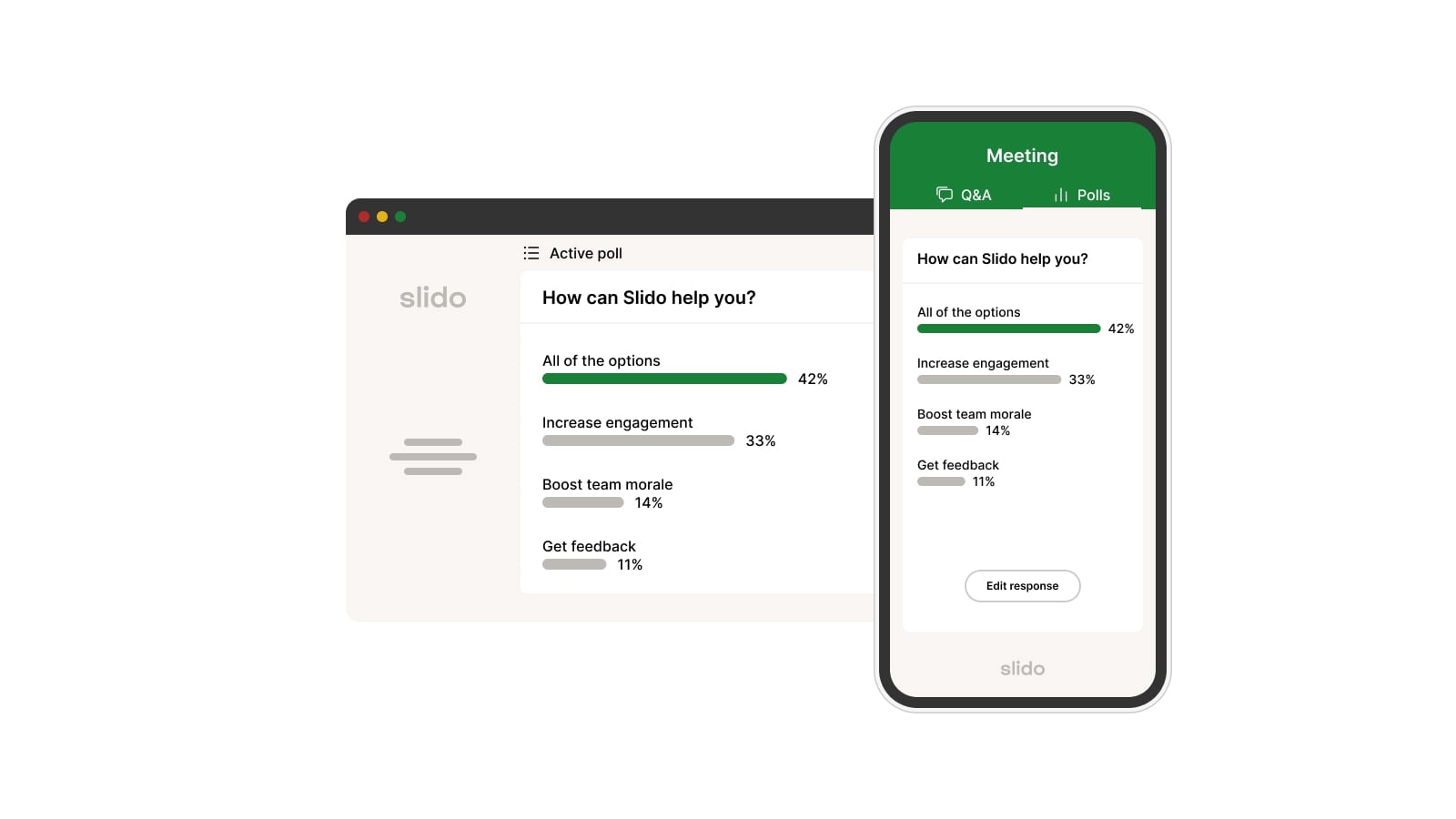
Another big name in audience interaction is Slido. You might have already used it in a webinar or all-hands meeting. Slido excels at live polls and especially Q&A sessions, where participants can submit questions and upvote their favorites.
If Mentimeter is known for its sleek polls, Slido is known for its seamless Q&A management. It’s used by companies and events worldwide (we’re talking giants like Cisco, Booking.com, or Oracle), so it’s a battle-tested choice for conferences, town halls, and classroom discussions alike.
Participants typically join via a simple event code on slido.com or by clicking a link, or through those integrations if enabled, and they can respond from any device with a web browser. It’s straightforward and doesn’t require any downloads on the participant side.
Pricing: Slido has a free version that’s surprisingly capable for small gatherings. The free Basic plan lets you host up to 100 participants per event with audience Q&A and a few polls (up to 3 polls and 1 quiz per event on the free tier).
For more frequent use or larger crowds, Slido’s paid plans start with the Engage plan at about $17.50 per month (billed annually) which raises the limit to 200 participants and unlocks unlimited polls/quizzes and data exports.
The Professional plan ($75/month) goes further with up to 1,000 participants, moderation tools and branding options.
3. Kahoot! – Gamified Quizzes for Learning and Fun
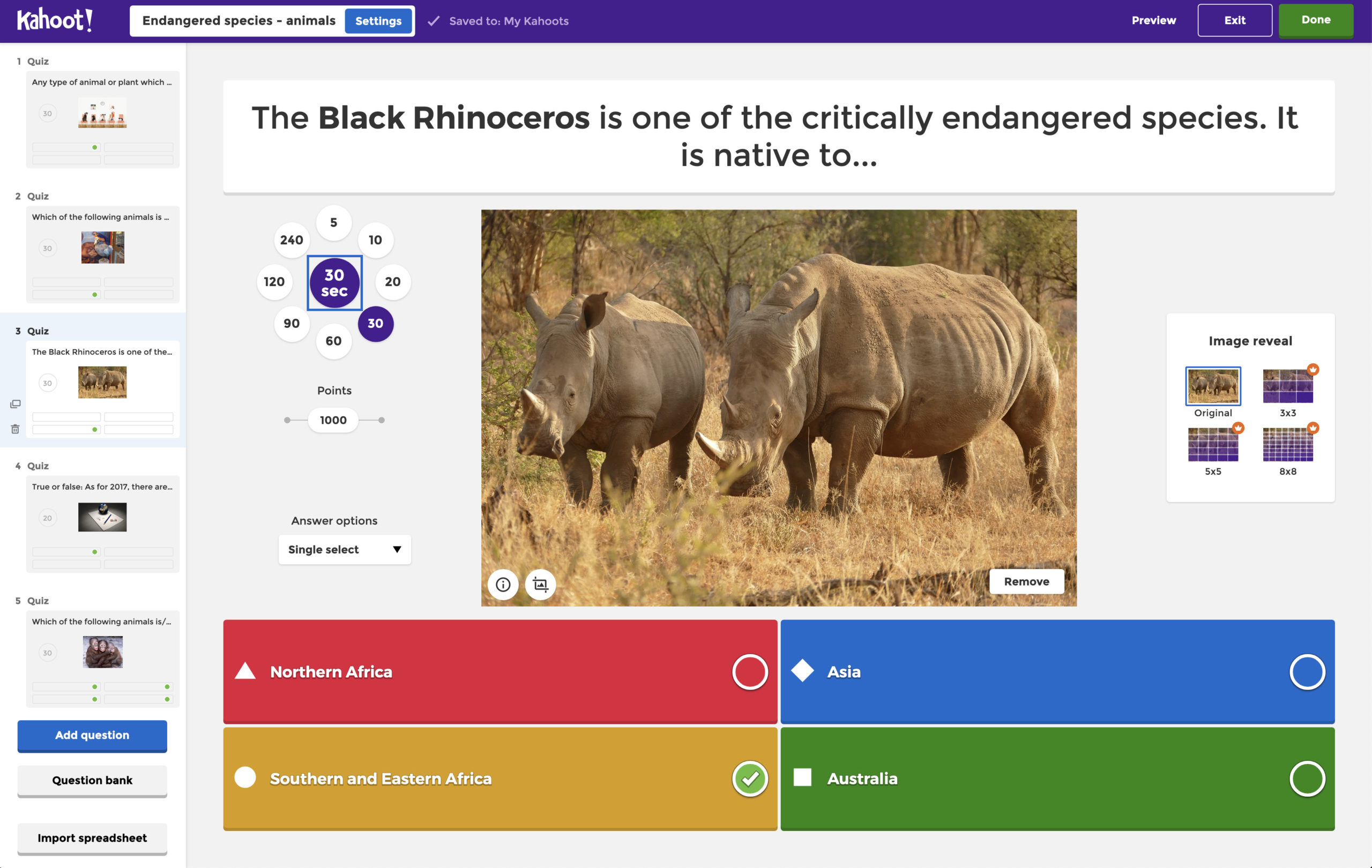
Looking to add some fun and friendly competition to your sessions? Kahoot! might be the alternative you need. Kahoot isn’t a carbon copy of Mentimeter, it’s a bit of a different breed, focused on gamified quizzes and learning activities. If you’ve ever been in a classroom where the host says “join my Kahoot,” you know the drill: a fast-paced quiz where participants answer on their phones, compete for points, and cheer when they see the live leaderboard.
It’s basically a game show in a presentation. This makes Kahoot fantastic for education or any group that would enjoy a little competition, but perhaps less suited for, say, a serious board meeting (unless your board is into rapid-fire trivia 😄).
Pricing: Free Kahoot! “Basic” accounts often cap the number of players (around 10 players for a free business account, and up to 50 players for educators on a limited basis). So if you’re just trying it out or running a quick quiz for a small group, you won’t pay a dime.
However, if you want to routinely host larger sessions or unlock more features, you’ll want a paid plan. Kahoot! 360 (Business) plans start at roughly $15 per host per month (billed annually) for the standard tier which allows up to 50 participants per session.
The next tiers up might run $25/month or more and raise the limit (e.g. 200 participants on a higher plan. Kahoot’s top-of-the-line plans can host 1000+ players and include full branding, moderation, and priority support.
There are also separate pricing tracks for schools and teachers (which are generally cheaper per user, since educators have different needs).
For most readers looking for a Mentimeter alternative, the takeaway is: Kahoot can be free for small engagements, but expect to invest in a Pro plan ($19+ per month) if you want to use it regularly with sizable groups.
4. Poll Everywhere – with SMS Voting!
Poll Everywhere has been around since 2008, making it one of the pioneering audience response tools. If Mentimeter is the cool new kid and Slido is the polished corporate type, Poll Everywhere is the veteran, not as flashy, but incredibly robust and trusted by many.
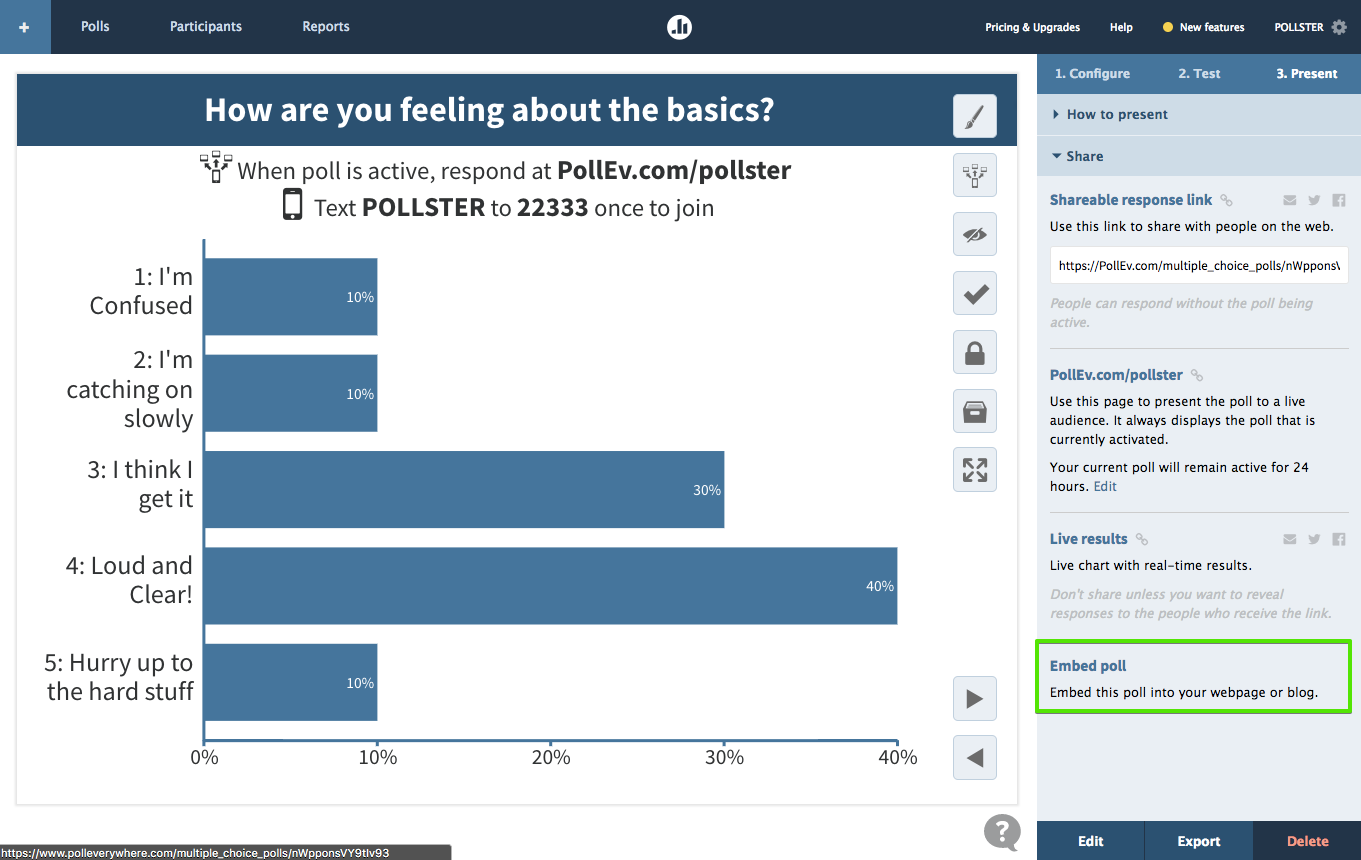
In fact, Poll Everywhere is reportedly used by over 75% of Fortune 500 companies and a huge number of universities. It’s a platform that offers live polling, Q&As, quizzes, word clouds, and more. But it also has a unique trick up its sleeve: in addition to responding via web, Poll Everywhere allows SMS text message responses for many activities. This means if your audience includes people who might not have a smartphone or who find texting easier than using a web link, Poll Everywhere ensures everyone can still participate by sending their votes or answers through a simple text.
That broad accessibility is a big plus in certain scenarios.
Pricing: Free users can create unlimited questions and run unlimited sessions; the main limitation is just how many people can join each session. For a lot of classroom settings or small meetings, 25-100 free participants may be sufficient.
When you need more, Present is the first paid tier, at about $120 per year (flat rate) which bumps your audience size up to 700 max. The next plan, Engage, is around $79 per month and adds advanced features like detailed reporting, the ability to moderate incoming questions, and restricting responses to verified participants. Above that, there are Teams and Enterprise plans ($199/month and up) which allow multiple presenters and even extremely large audience sizes.
5. AhaSlides – Generous Free Plan and Interactive Goodies

Rounding out our list is AhaSlides, an up-and-coming platform that’s very much like Mentimeter in spirit. In fact, if you put their feature lists side by side, you’d see a lot of overlap: live polls, multiple-choice questions, word clouds, Q&A, quizzes, etc. AhaSlides’ claim to fame is being a budget-friendly alternative. They even tout that they have “the most generous free plan on the market”. That’s not just marketing fluff, the free version of AhaSlides indeed lets you do quite a lot without paying. This has made AhaSlides popular among teachers, independent speakers, and anyone who wants to spice up a presentation without convincing their boss to expense a software subscription.
Pricing: AhaSlides’ free version costs $0 (of course) and allows you to have up to 50 live participants in your audience. You can create unlimited presentations and include all types of slides (polls, word clouds, quizzes, etc.), but there’s a catch: in any single presentation, the free plan lets you add up to 5 quiz questions and 3 poll questions (other types like word clouds or Q&As are unlimited).
When you need more horsepower, The Essential plan is about $7.95 per month (when billed annually), and it increases your audience size to 100 and removes question limits. The Pro plan is around $15.95 per month (billed annually), and that one gives you unlimited audience size. Finally, for large organizations, there’s an Enterprise tier with custom pricing, which supports up to 100,000 participants and offers SSO and dedicated account management.

.svg.png)


