

AI implementation Training for innovation teams
StreamAlive helps 9x the audience engagement in your Virtual Instructor-led Trainings (VILT).
Make your instructor-led AI implementation training more fun with polls, word clouds, spinner wheels and more
Works inside your existing PowerPoint presentation
Install the StreamAlive app for PowerPoint and see your slides come to life as people participate in your interactions
AI generates audience interactions for you
Let our AI scan your presentation and automatically come up with relevant questions based on the content. Or spend two hours coming up with your own questions, your choice!
Built to work with MS Teams and Zoom
Native apps for Teams and Zoom so you never have to leave your existing workflows
No QR Codes
Chat-powered interactions means your audience doesn’t need to scan QR codes or look at another screen to participate. They just type in the chat!

Quickly approved by your IT team
StreamAlive’s apps for Teams and Zoom means that they have been through rigorous quality assurance and client safety reviews. You’ll find everything an IT team needs to approve the app within the organization within your StreamAlive account.

Picture this: Youre about to lead an AI implementation training session for a team buzzing with innovative energy. How do you not only capture but also sustain that energy? Lets dive in to discover how!
Map It Out!
Use Magic Maps to put your audience on the map. Begin with questions like, Where is AI touching lives globally? or have them share AI innovations around the globe theyre excited about. This sparks curiosity while giving a visible sense of the global community theyre part of.

Gauge the Room!
Run a Rating Poll soon after your kickoff to see how familiar everyone is with AI concepts. This helps you tailor delivery-demand more details or skip the basics based on your audiences understanding.

Cloud the Room with Words!
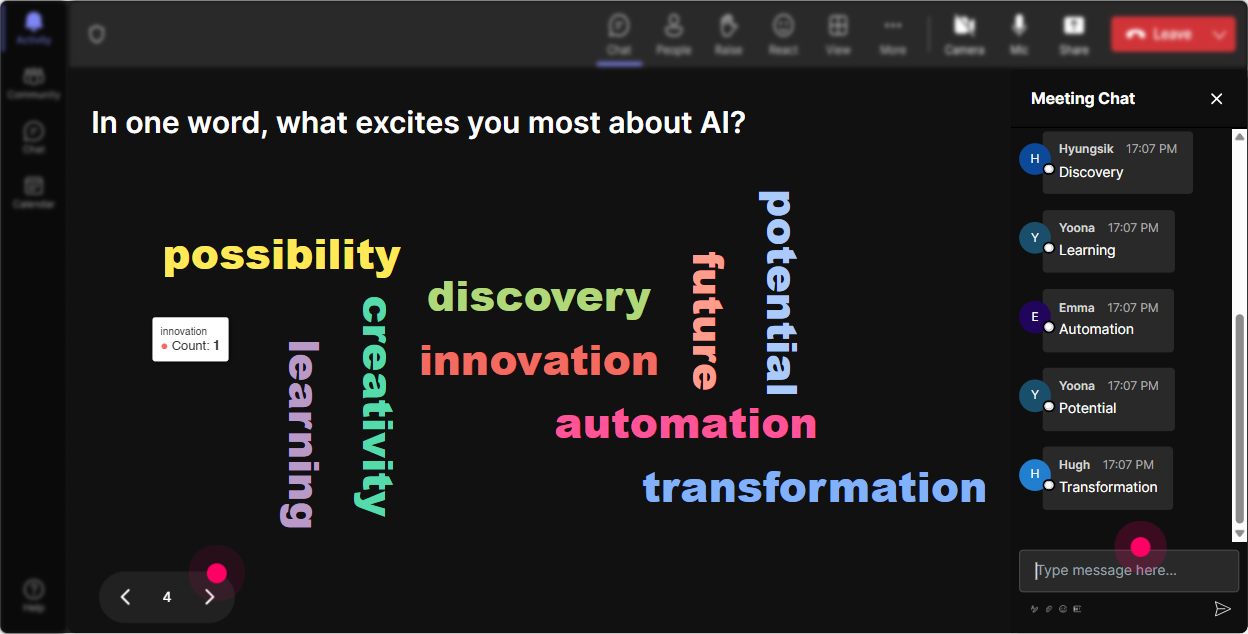
Launch a Wonder Word Cloud to check emotional vibes: ask what words come to mind when they think about AI. Excited, challenged, uncertain-whatever it is, youll see it live!
Tiles of Wisdom
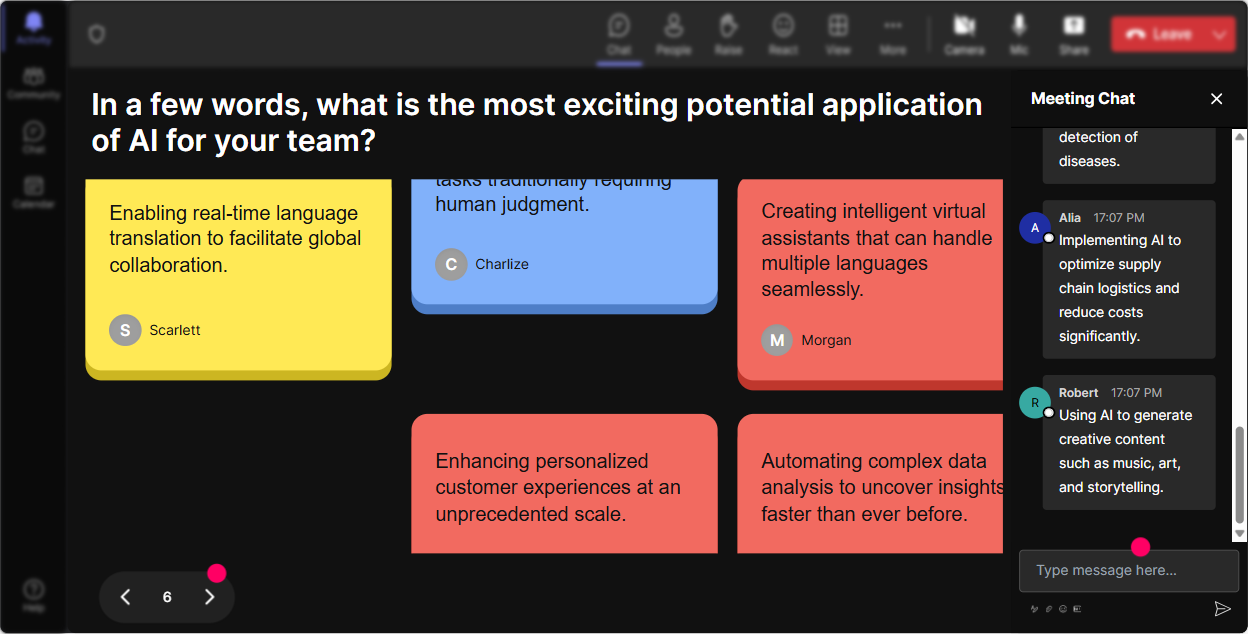
Solicit deeper insights on AIs impact on their work life via Talking Tiles. Its like Tetris for thoughts, where each thought is a block building on others-watch live as ideas and perspectives build a colorful display.
Polling Opinions
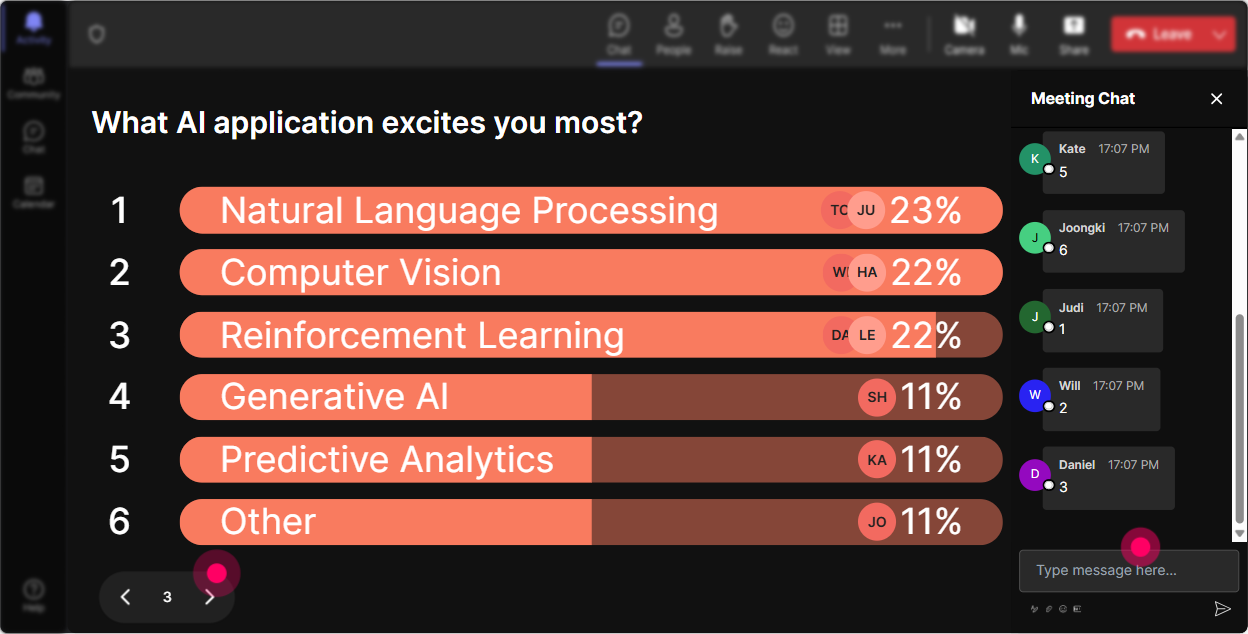
Use Power Polls to tap into what facets of AI your audience is keen on. Is it data management, automation, ethical AI? Their choices guide your narrative, ensuring content relevancy.
Spin to Speak!
Activate the Spinner Wheel to gamify engagement. Pick a random participant to voice their favorite AI application, then let them elaborate. Its risk-free, fun, and interactive.

Quiz the Intellect
Break the monotony with a Quiz to test, say, which AI tools are most effective. Count who gets it right and reward them-perhaps a virtual high-five or a small token!

Gauge the Room!
Run a Rating Poll soon after your kickoff to see how familiar everyone is with AI concepts. This helps you tailor delivery-demand more details or skip the basics based on your audiences understanding.
Query, Answer, Repeat
Use Q&A to effortlessly weave their inquiries into your session. StreamAlive gathers every curious or sceptical question, making sure none go unnoticed-perfect for the agile responder you are.

Assess and Optimize
After your session wraps up, delve into Analytics to grasp who found your session riveting. Figure out which parts spiked interest or raised questions, and refine your future deliveries while appreciating top contributors!

Use StreamAlive in all your training sessions
StreamAlive isn’t just for
AI implementation
training,
it can also be used for any instructor-led training session
Explore similar traingin ideas: unlocking the potential of StreamAlive
See how StreamAlive transforms live training with engaging events and interactive sessions across industries.

Interactions in action
(it's free)

.svg.png)


