

Ethics and code of conduct Training for credit providers
StreamAlive helps 9x the audience engagement in your Virtual Instructor-led Trainings (VILT).
Make your instructor-led Ethics and code of conduct training more fun with polls, word clouds, spinner wheels and more
Works inside your existing PowerPoint presentation
Install the StreamAlive app for PowerPoint and see your slides come to life as people participate in your interactions
AI generates audience interactions for you
Let our AI scan your presentation and automatically come up with relevant questions based on the content. Or spend two hours coming up with your own questions, your choice!
Built to work with MS Teams and Zoom
Native apps for Teams and Zoom so you never have to leave your existing workflows
No QR Codes
Chat-powered interactions means your audience doesn’t need to scan QR codes or look at another screen to participate. They just type in the chat!

Quickly approved by your IT team
StreamAlive’s apps for Teams and Zoom means that they have been through rigorous quality assurance and client safety reviews. You’ll find everything an IT team needs to approve the app within the organization within your StreamAlive account.

Imagine you've been assigned the task of conducting an Ethics and Code of Conduct training for credit providers. Now, you're staring at a room full of attendees who, lets face it, might not think this is the highlight of their day. But hold on! What if I told you we could make this session as engaging as it is informative? Let's dive in.
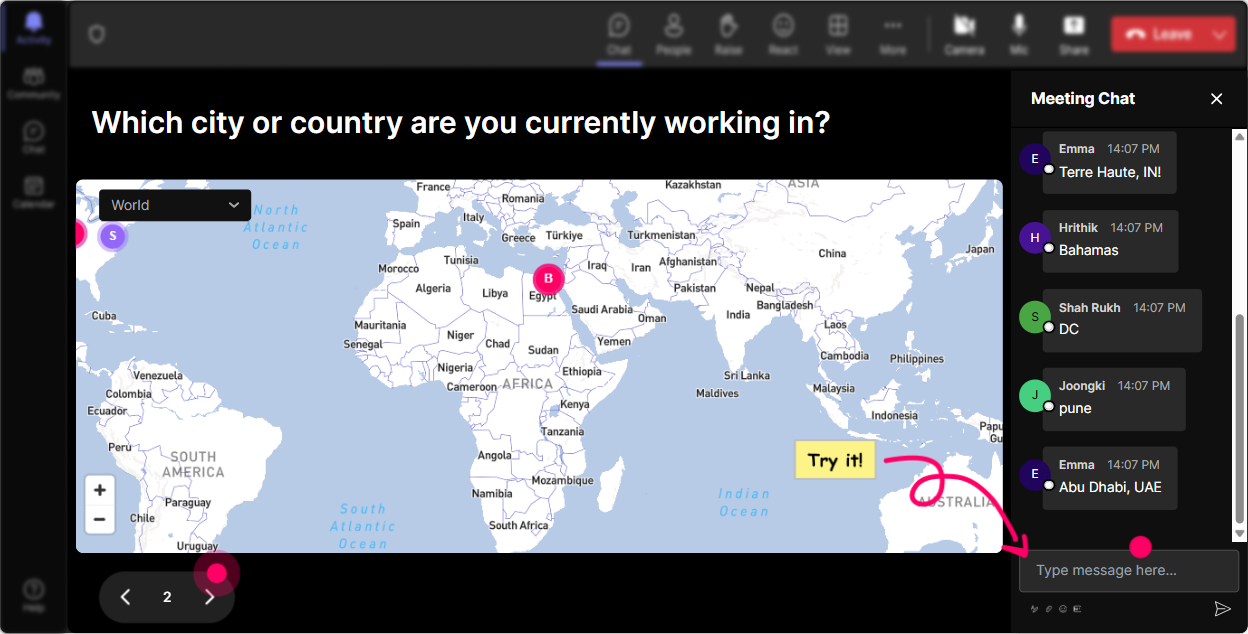
Get the Room Talking with Magic Maps
Break the ice and warm up your audience by putting them on the map with Magic Maps. You could start by asking everyone where theyre joining from today. It's an excellent way to demonstrate the diversity in the room or online platform and make everyone feel involved from the get-go. Or, switch things up and ask them to plot a location thats significant in their professional ethics journey. Imagine seeing dots light up from all over it practically screams unity in diversity!
Gauge Understanding with Rating Polls
Time to know where everyone stands with their knowledge of Ethics and Code of Conduct. Use Rating Polls to get a feel of the rooms confidence level. You might ask, On a scale of 1 to 5, how well do you understand our companys code of conduct? This will help you identify areas that need more emphasis and keep your engagement game strong throughout.

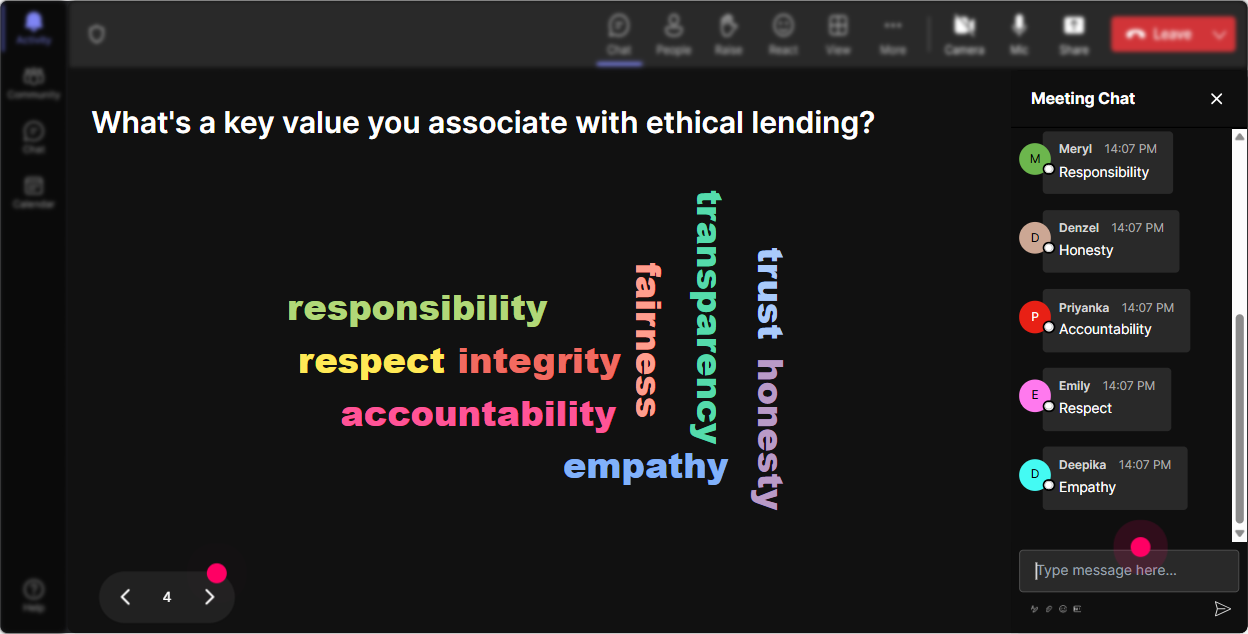
Capture Feelings with Wonder Words
Next up, get into the minds of your participants by asking them to share their feelings about Ethics and Code of Conduct training. Wonder Words can help create a word cloud displaying emotions or expectations like 'Excited', 'Intimidated', 'Intrigued', or 'Overwhelmed'. This visual cue will help guide the tone of your session and allow you to tailor your approach accordingly.
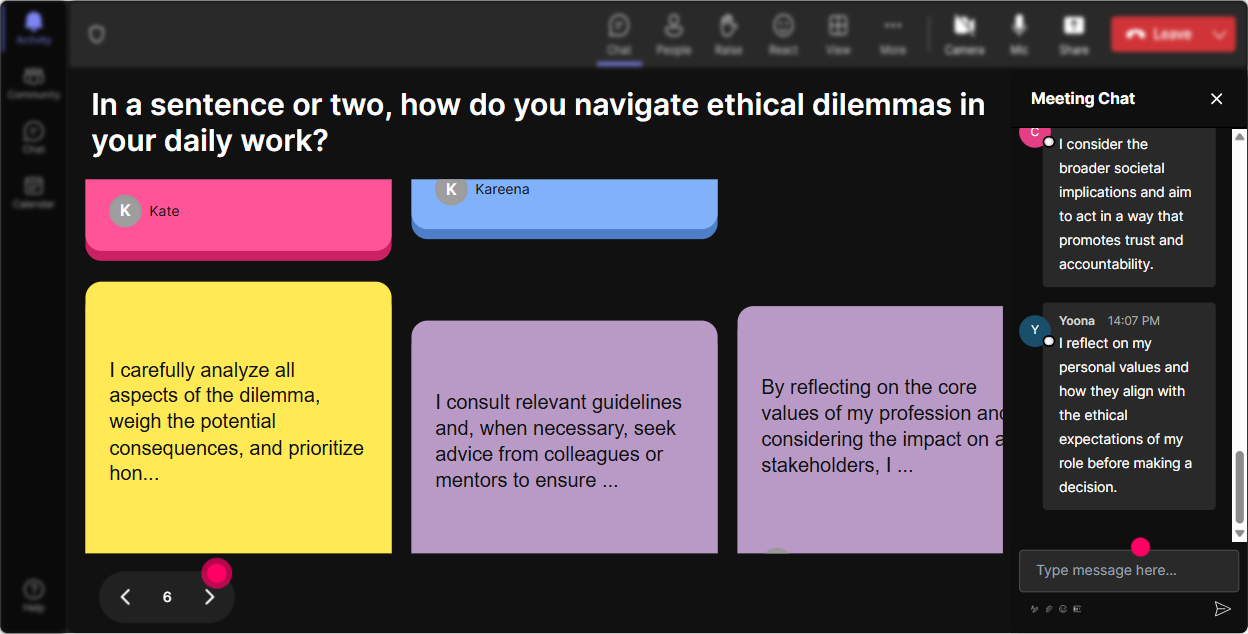
Visualize Impact with Talking Tiles
Bring out the impact Ethics and Code of Conduct has on each participants role using Talking Tiles. Its an engaging activity where audience responses are turned into dynamic, Tetris-style visuals that transform the screen. Ask everyone to share How does adhering to the code of conduct impact your daily job role? and watch as responses stack up on your screen literally!
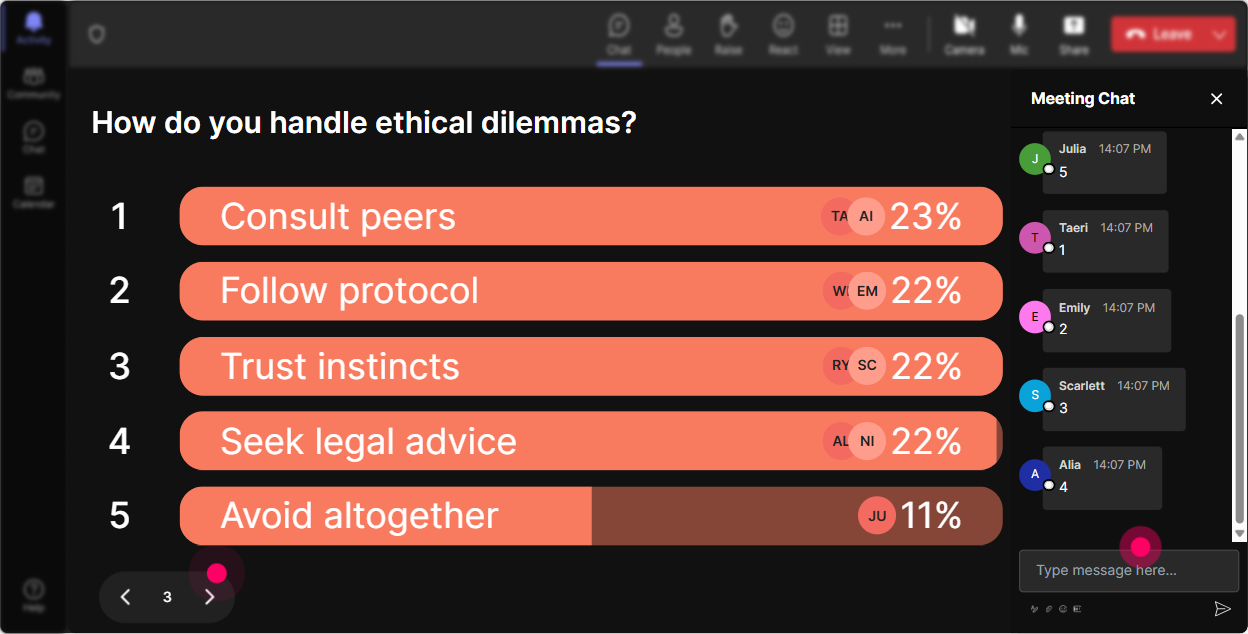
Explore Interests with Power Polls
Curious about which aspects of Ethics and Code of Conduct you're attendees are keen to learn more about? Use Power Polls to let them choose topics of interest. Pose a question like, Which area of the code of conduct would you like to explore in detail today? This not only directs the focus to relevant sections but makes participants feel more invested in the session.
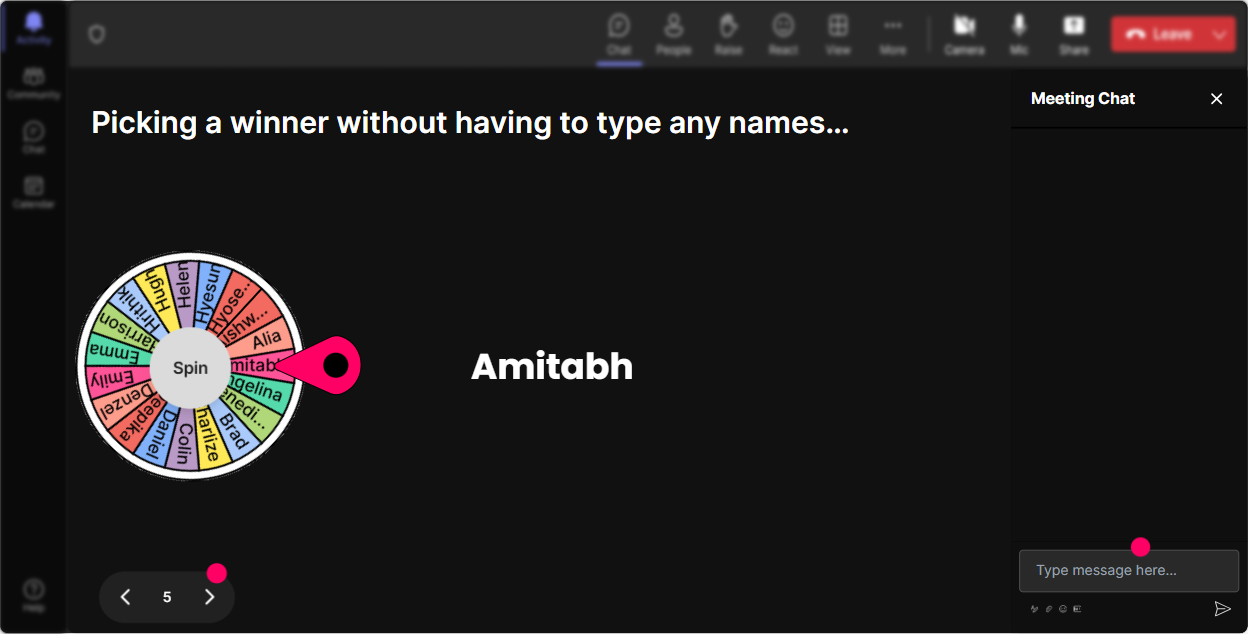
Encourage Participation with the Winner Wheel
Want to lightheartedly choose a volunteer to share their thoughts? Fire up the Winner Wheel! Instead of traditional hand-raising, the wheel spins and randomly selects a participant. It adds a bit of fun uncertainty and excitement into the room. Or alternatively, you could make it a prize draw for the most involved participant!
Test Knowledge with Quizzes
Put your attendees knowledge to test with a quick Quiz. Give them a multiple-choice question like, Which option below is NOT a part of our companys code of conduct? Its a fun way to create a sense of challenge and measure learning outcomes at the same time. Plus, announcing the right answer encourages a discussion on why it's correct!

Gauge Understanding with Rating Polls
Time to know where everyone stands with their knowledge of Ethics and Code of Conduct. Use Rating Polls to get a feel of the rooms confidence level. You might ask, On a scale of 1 to 5, how well do you understand our companys code of conduct? This will help you identify areas that need more emphasis and keep your engagement game strong throughout.
Streamline Queries with Q&A
StreamAlive makes handling questions a breeze by picking them directly from the chat. Forget separate Q&A boxes; everything is streamlined through the chat. As a trainer, this feature allows you to tackle questions promptly and ensures every query is addressed while keeping the session interactive and focused.

Reflect on Engagement with Analytics
Youve delivered your session, but how effective was it? Dive into StreamAlive's analytics to see how well you held your audience's attention. Discover your biggest fans, the key moments that sparked dialogue, and areas for improvement. It's like an instant replay of your sessions highlights, and these insights can be shared with your team via Email or Teams. Talk about a learning loop for trainers, right?

Use StreamAlive in all your training sessions
StreamAlive isn’t just for
Ethics and code of conduct
training,
it can also be used for any instructor-led training session
Explore similar traingin ideas: unlocking the potential of StreamAlive
See how StreamAlive transforms live training with engaging events and interactive sessions across industries.

Interactions in action
(it's free)

.svg.png)


