

Industry-specific AI Training for emergency department staff
StreamAlive helps 9x the audience engagement in your Virtual Instructor-led Trainings (VILT).
Make your instructor-led Industry-specific AI training more fun with polls, word clouds, spinner wheels and more
Works inside your existing PowerPoint presentation
Install the StreamAlive app for PowerPoint and see your slides come to life as people participate in your interactions
AI generates audience interactions for you
Let our AI scan your presentation and automatically come up with relevant questions based on the content. Or spend two hours coming up with your own questions, your choice!
Built to work with MS Teams and Zoom
Native apps for Teams and Zoom so you never have to leave your existing workflows
No QR Codes
Chat-powered interactions means your audience doesn’t need to scan QR codes or look at another screen to participate. They just type in the chat!

Quickly approved by your IT team
StreamAlive’s apps for Teams and Zoom means that they have been through rigorous quality assurance and client safety reviews. You’ll find everything an IT team needs to approve the app within the organization within your StreamAlive account.

Youve been asked to conduct Industry-specific AI training for emergency department staff and you want to make the session fun and interesting. Lets see how to make that happen.
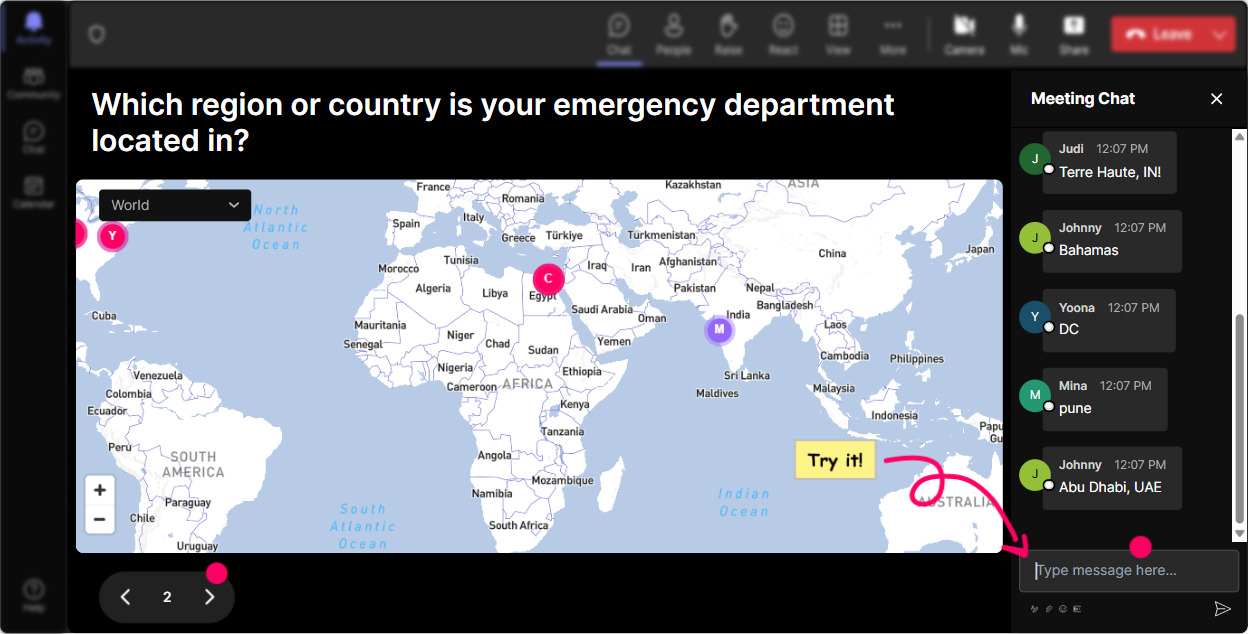
Put Everyone on the Map
Break the ice by asking participants where they're joining from, using Magic Maps to visualize it. Try questions like, 'Where would you teleport if you could?' or 'What's a city you've fond memories of?' This sets a relaxed vibe and gets them chatting.
Gauge AI Understanding
Find out where everyone stands on AI knowledge. Use Rating Polls to ask, 'How comfortable are you with AI tools in emergency situations?' This helps tailor the session based on their responses.

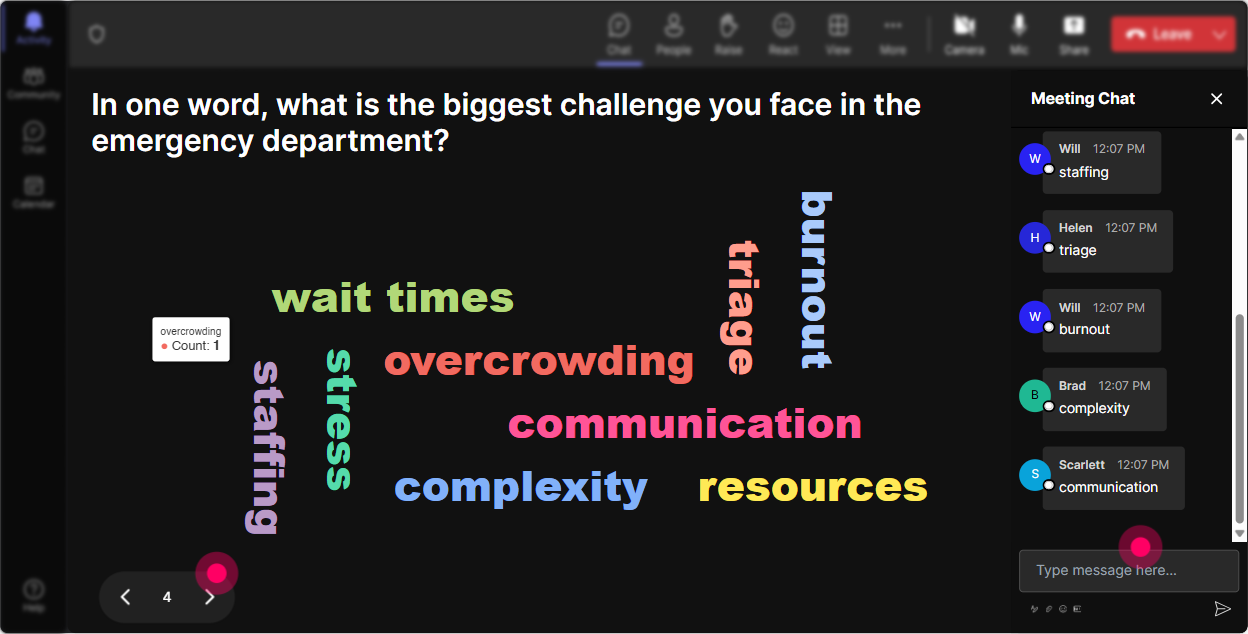
AI Training Sentiment Check
See how participants feel about AI in emergency care using Wonder Words. Encourage them to use words like 'excited,' 'nervous,' or 'curious.' Its an engaging way to assess their sentiment and start discussions.
Discuss AI Impact
Dive deeper by asking, 'How will AI change your role in emergency care?' Responses will appear as Talking Tiles on the screen, creating an interactive and lively discussion.

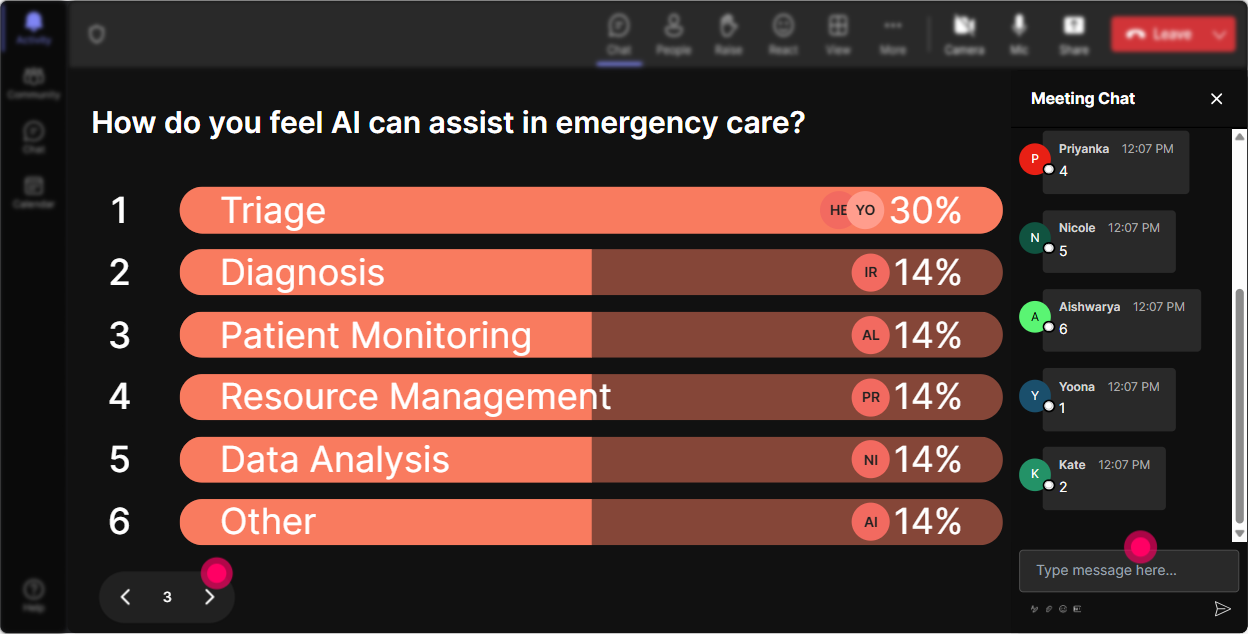
Explore AI Interests
Use Power Polls to discover which AI topics intrigue them most-like prediction models or automated documentation. This way, you can focus on areas they find most beneficial.
Luck of the Draw
Need a volunteer to answer a question or share an experience? Use the Spinner Wheel to keep it random and exciting-everyones on the edge of their seat wondering whose name will pop up!

AI Knowledge Check
Run a quick quiz on AI basics in healthcare. Ask a multiple-choice question where theres one correct answer to gauge the pre-existing knowledge in the room.

Gauge AI Understanding
Find out where everyone stands on AI knowledge. Use Rating Polls to ask, 'How comfortable are you with AI tools in emergency situations?' This helps tailor the session based on their responses.
Streamlined Q&A
StreamAlive simplifies things by collecting questions directly from the chat into the presentation view, so you dont miss any queries during the session. Its neat, organized, and keeps the conversation flowing.

Track Engagement and Adapt
Dive into how your session went afterward with StreamAlives analytics. See who participated the most and identify sections that might need tweaking. Share these insights easily over Teams or email to your peers or management for feedback.

Use StreamAlive in all your training sessions
StreamAlive isn’t just for
Industry-specific AI
training,
it can also be used for any instructor-led training session
Explore similar traingin ideas: unlocking the potential of StreamAlive
See how StreamAlive transforms live training with engaging events and interactive sessions across industries.

Interactions in action
(it's free)

.svg.png)


