

Practical AI Training for regulatory affairs teams
StreamAlive helps 9x the audience engagement in your Virtual Instructor-led Trainings (VILT).
Make your instructor-led Practical AI training more fun with polls, word clouds, spinner wheels and more
Works inside your existing PowerPoint presentation
Install the StreamAlive app for PowerPoint and see your slides come to life as people participate in your interactions
AI generates audience interactions for you
Let our AI scan your presentation and automatically come up with relevant questions based on the content. Or spend two hours coming up with your own questions, your choice!
Built to work with MS Teams and Zoom
Native apps for Teams and Zoom so you never have to leave your existing workflows
No QR Codes
Chat-powered interactions means your audience doesn’t need to scan QR codes or look at another screen to participate. They just type in the chat!

Quickly approved by your IT team
StreamAlive’s apps for Teams and Zoom means that they have been through rigorous quality assurance and client safety reviews. You’ll find everything an IT team needs to approve the app within the organization within your StreamAlive account.

Youre all set to dive into Practical AI training for your regulatory affairs team, and you're pondering how to keep them on their toes while making the session meaningful. Heres how StreamAlive can help amp up the excitement!
Audience Location Mapping with Magic Maps
Warm things up by asking your trainees where they're tuning in from. Not only do they feel included, but you can visually place all your participants on the globe! Its always fun to know if your colleague is across the street or across the continent.

Assessing Pre-Session Knowledge with Rating Polls
Get an idea of how familiar your participants are with AI concepts before jumping into the deep end. Ask them to rate their knowledge from 1 to 5, and adjust your depth of training accordingly.

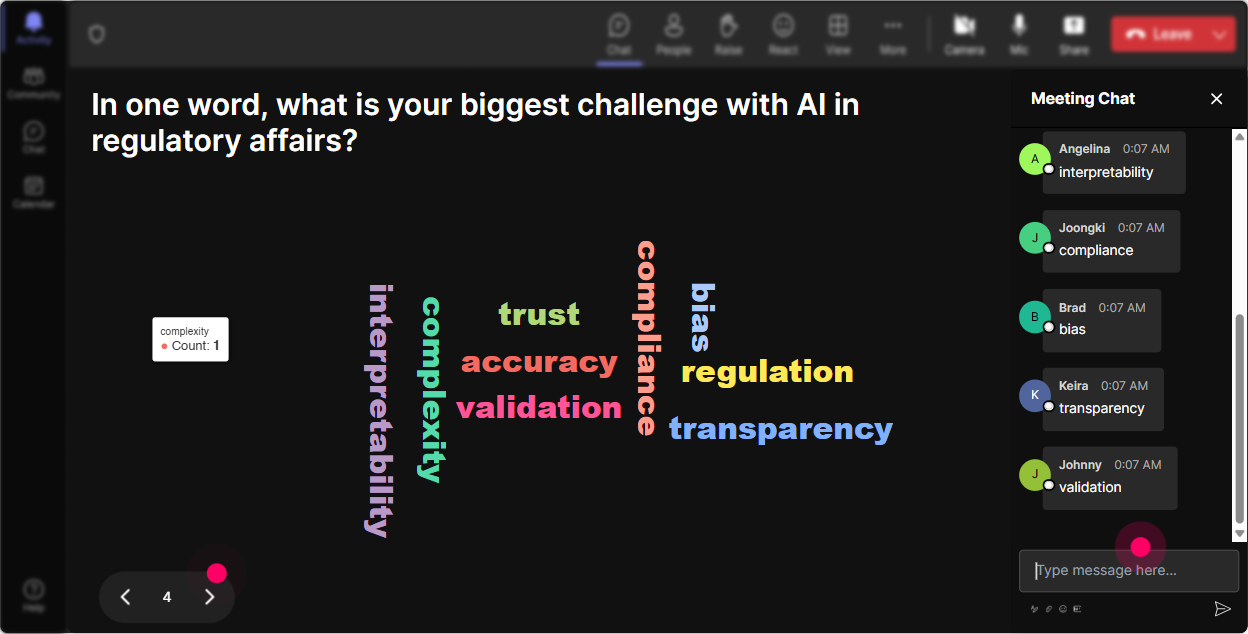
Gauge Emotional Temperature with Wonder Words
Curious about your team's initial thoughts on AI training? See their responses transform into an insightful word cloud. Its enlightening to see if theyre feeling 'excited', 'overwhelmed', or just plain 'curious'.
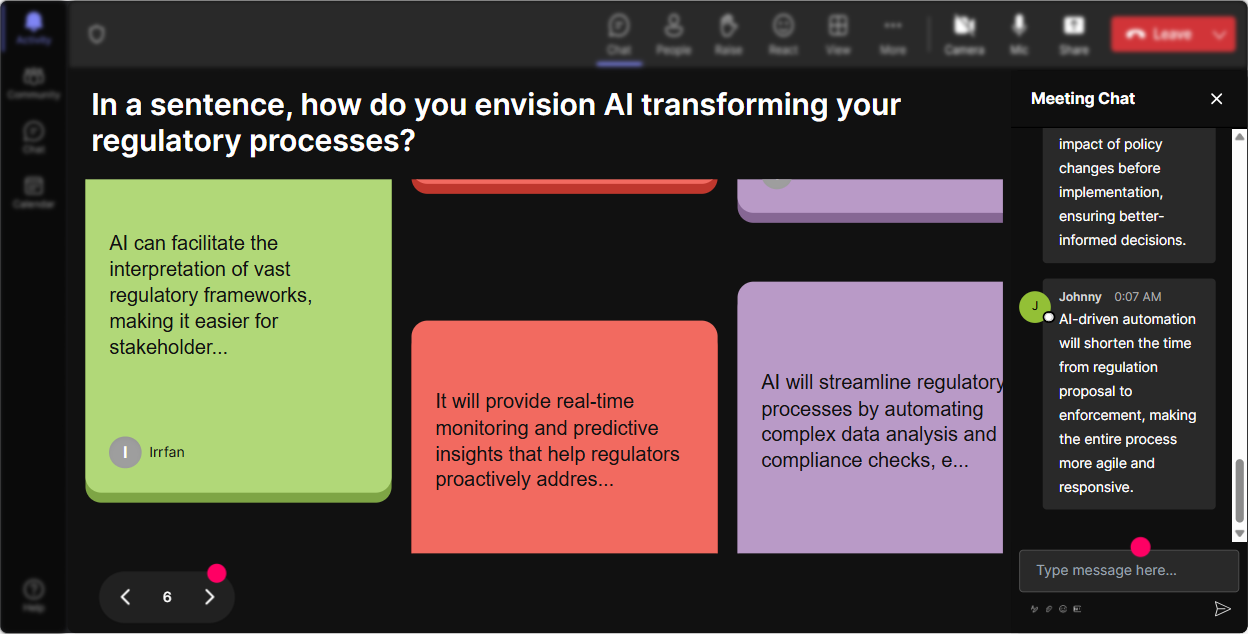
Impact of AI on Job Roles via Talking Tiles
Encourage your team to share how AI is reshaping their roles. Their typed responses become a cascading visual on your screen, making collective ideas pop and ensuring everyone's voice is heard.
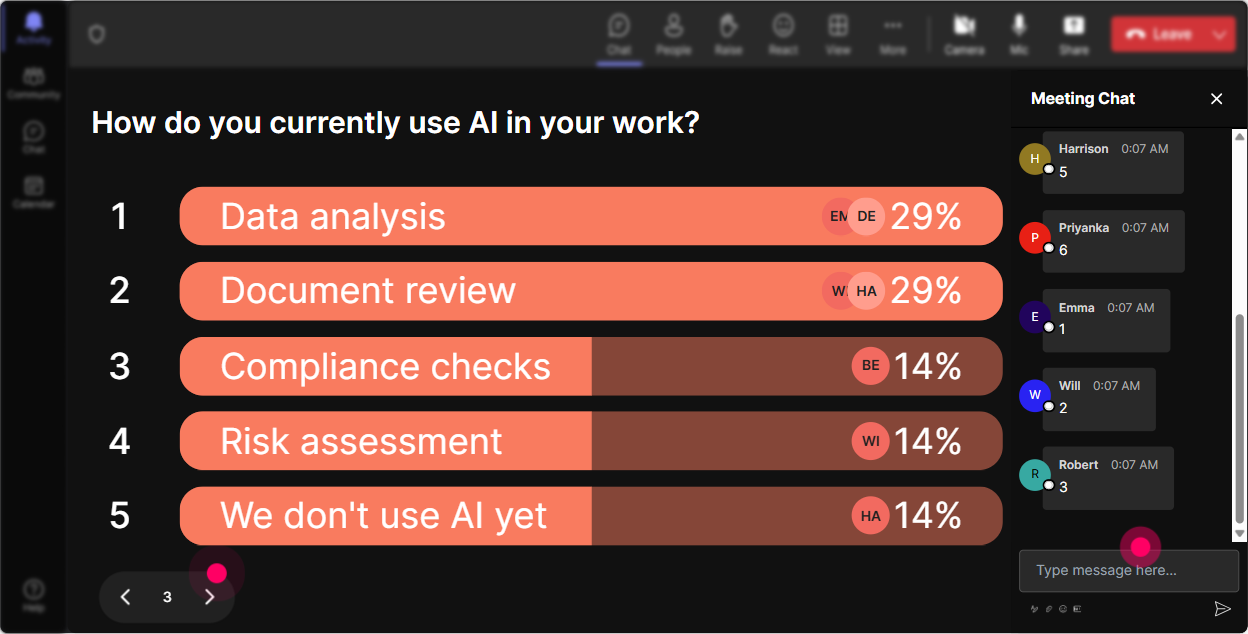
Discover AI Interests with Power Polls
Use polls to find out which AI aspects pique your teams interest the most-be it machine learning, data analytics, or another angle. Tailor your session's focus based on the results.
Interactive Icebreaker with Winner Wheel
Need someone to start the discussion or answer a tricky question? Spin the wheel and let chance pick your brave volunteer. It keeps things fair and fun!

AI Knowledge Check via Quizzes
Pop a quick AI-related question to test the waters. Its a fun, interactive way to check if the key concepts are landing, and who doesnt love a good quiz moment?

Assessing Pre-Session Knowledge with Rating Polls
Get an idea of how familiar your participants are with AI concepts before jumping into the deep end. Ask them to rate their knowledge from 1 to 5, and adjust your depth of training accordingly.
Streamlined Interactions with Q&A
With StreamAlive's integrated Q&A, all your participants' queries come straight from the chat. No more juggling between windows-just direct, seamless addressing of questions.

Audience Engagement Insights with Analytics
Once the session wraps, unpack all the rich engagement data. From gauging your audiences interest levels to identifying your star participants, analytics offer valuable feedback. Plus, you can easily share these insights with your team via email!

Use StreamAlive in all your training sessions
StreamAlive isn’t just for
Practical AI
training,
it can also be used for any instructor-led training session
Explore similar traingin ideas: unlocking the potential of StreamAlive
See how StreamAlive transforms live training with engaging events and interactive sessions across industries.

Interactions in action
(it's free)

.svg.png)


